A Guide to Healthcare Appointment Scheduling Software
Discover how healthcare appointment scheduling software transforms clinic workflows, reduces no-shows, and improves patient care. Your essential guide.Healthcare appointment scheduling software is a specialized tool that helps medical practices manage patient bookings, reminders, and follow-ups. At its core, it’s about moving clinics away from the old-school phone calls and paper calendars to a smarter digital system that cuts down on admin work and makes life easier for patients.
Moving Beyond the Clipboard and Phone Tag
Remember the days of endless phone calls, crossed-out appointments, and overflowing waiting rooms? For a lot of clinics, that’s not a memory—it’s the daily grind. The traditional way of managing appointments is a messy mix of paper calendars, sticky notes, and a front desk team trapped in a constant game of phone tag with patients.
This manual system isn't just inefficient; it's a huge source of frustration for staff and patients alike. Team members burn hours confirming appointments, filling last-minute cancellations, and manually typing in patient details. It’s a recipe for double-bookings and costly empty slots.
For patients, it's just as bad. They're stuck with long hold times, can only book during office hours, and have to go back and forth just to find a time that works. That initial friction can sour their entire experience before they even walk through the door.
The Shift to a Centralized System
This is where healthcare appointment scheduling software comes in. Think of it as the central command center for a modern clinic. It's so much more than just a digital calendar; it’s a platform built to solve these deep-rooted operational headaches. By putting routine tasks on autopilot, this software frees up your team to focus on what they do best: taking care of patients.
The scheduling process goes from being a bottleneck to a smooth, self-service experience. Patients can book their own appointments 24/7 from their phone or computer, see real-time availability, and get automated reminders that slash no-show rates. Suddenly, your front desk is no longer a reactive call center but a proactive hub for patient support. You can even explore how an AI receptionist for small business can handle incoming calls and book appointments automatically.
By automating the scheduling workflow, clinics can convert operational friction into a streamlined, patient-first experience. This sets the foundation for improved care, higher patient satisfaction, and sustainable growth from the moment a patient decides to book.
The impact here is huge, and it's driving massive growth in the market. The global market for this software is projected to jump from USD 342.3 million in 2023 to USD 803.7 million by 2030. This boom is all about the need to use medical resources better and cut down patient wait times in a system that's under more pressure than ever. You can discover more insights about these market trends on marketsandmarkets.com.
Adopting this kind of tool isn't a luxury anymore. It’s a necessary step toward building a practice that’s both more efficient and truly centered around the patient.
Unpacking The Must-Have Software Features
What really separates a basic digital calendar from a high-powered clinical tool? It's a specific set of features—built from the ground up to solve real-world healthcare problems. These aren't just bells and whistles; they're the engine that drives efficiency, lightens your staff's workload, and makes the patient experience a whole lot better.
At the very top of that list is real-time online booking. This is the non-negotiable foundation. It gives patients the power to see your clinic's actual, up-to-the-minute availability and book their own appointment on their own time, from any device. No more phone tag. The shift here is huge: 63% of providers now let patients self-schedule, a massive leap from just 40% two years ago. It’s clear this is no longer a "nice-to-have."
But getting the appointment on the books is only half the job. You also need the patient to show up. That’s where automated reminders become your clinic’s most valuable player.
Automated Reminders and Confirmations
Automated SMS and email reminders are your best defense against no-shows, which are a direct hit to your revenue and a major disruption to the day's flow. Instead of your staff spending hours making confirmation calls, the software does the heavy lifting. It can send a reminder a week out, another the day before, and even one an hour before the appointment, asking patients to confirm, cancel, or reschedule with a single tap.
This simple, proactive communication works wonders. Clinics that turn on automated reminders often see their no-show rates plummet, pushing them toward an 89% patient show rate. It’s a small feature with an enormous impact.
A well-designed scheduling platform doesn't just fill your calendar; it actively protects your time and revenue by ensuring patients remember and commit to their appointments.
Think of the scheduling software as the central hub connecting everything your clinic does with the patient's journey.
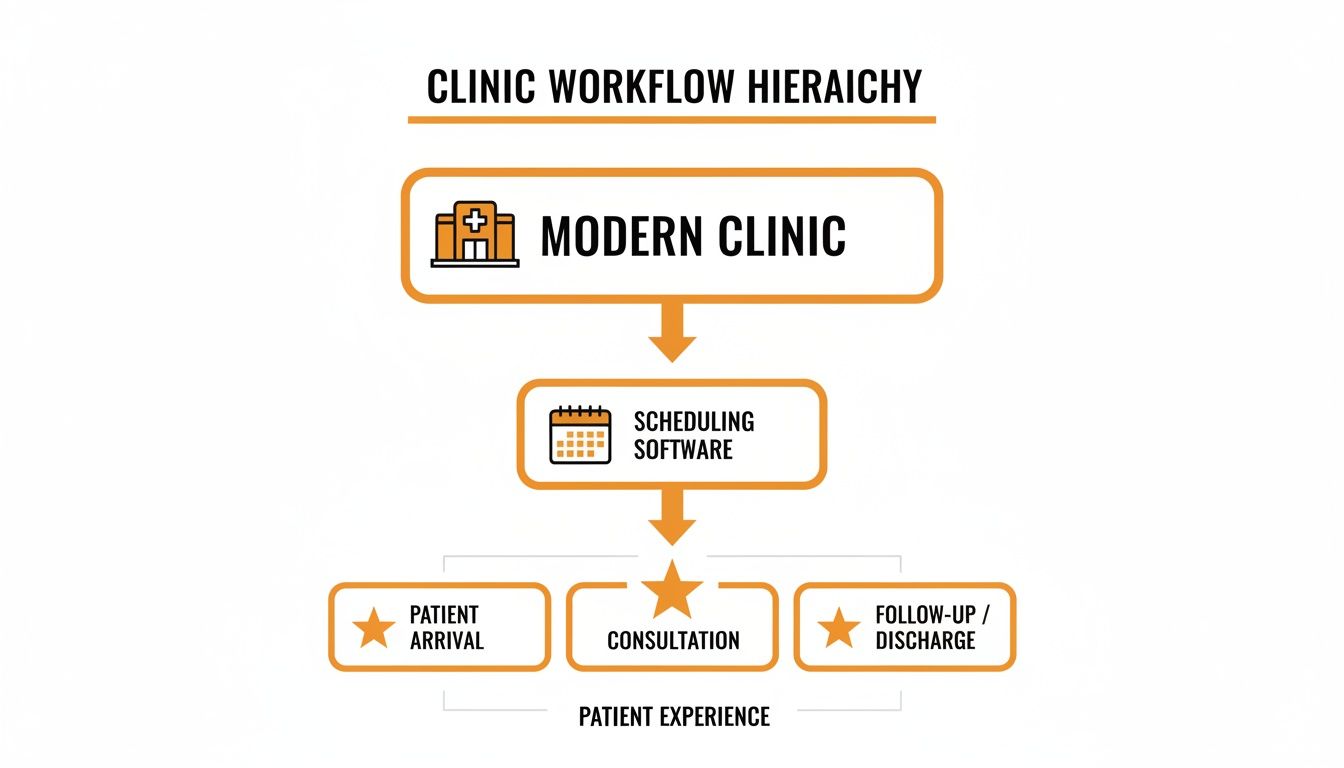
This workflow shows how the software isn't just a tool—it's the bridge between your internal operations and a smooth, modern experience for the people you care for.
Customization and The Ability To Grow
As your practice expands, your scheduling needs get more complicated. That's why any software you consider has to be able to grow with you.
A good system will offer flexibility right out of the box, but it's important to know the difference between the basics every clinic needs and the more advanced tools that help you scale.
Essential vs. Advanced Software Features
| Feature Category | Essential Functionality (Must-Have) | Advanced Functionality (Nice-to-Have) |
|---|---|---|
| Booking & Scheduling | Real-time online booking for patients, internal scheduling dashboard for staff. | Intelligent waitlist that auto-offers newly open slots. |
| Provider Management | Ability to manage calendars for multiple providers within one clinic. | Support for multiple physical locations or satellite offices from one account. |
| Appointment Rules | Set standard appointment lengths and block off unavailable times. | Create complex, custom rules (e.g., new patient slots are 45 mins, follow-ups are 15). |
| Patient Communication | Automated email and SMS appointment reminders and confirmations. | Two-way secure messaging and integrated patient portal. |
| Patient Intake | Basic patient information collection at the time of booking. | Fully digital intake forms that sync directly to the patient's record. |
Having a clear picture of these tiers helps you choose a tool that fits your practice perfectly today, while also ensuring it won’t hold you back tomorrow.
Seamless Patient Intake and Communication
Finally, the best scheduling software thinks beyond the appointment itself. It helps you smooth out the entire pre-visit process. This often includes digital intake forms that patients can complete at home on their own time, which drastically cuts down on paperwork and lobby wait times.
The system should also act as a secure channel for communication, letting your team send out pre-appointment instructions or follow-up notes through a patient portal. This creates a cohesive, professional, and reassuring experience right from the very first click. When you combine all these functions, your scheduling software becomes more than a utility—it becomes a cornerstone of your clinic's entire operation.
Weaving Software Into Your Clinic's Daily Rhythm
Bringing new technology into your practice isn't just a matter of flipping a switch. It’s about carefully weaving it into the daily flow of your clinic so it feels like a natural part of the team, not just another piece of software to learn. The real win is when your new healthcare appointment scheduling software enhances your workflow, creating one unified system where information moves freely and repetitive tasks just... happen.
Think of it like building with LEGOs. Your scheduling software is the main piece, and everything else—from patient communication to billing—should click into place around it. When these pieces connect properly, you create something far stronger and more efficient than any single block. This connected system gets rid of friction, cuts down on manual data entry, and frees up your staff to focus on what they do best: patient care.
And the single most important connection you'll make? The one with your Electronic Health Record (EHR) or Electronic Medical Record (EMR) system. This isn't optional; it's the foundation of a modern practice.
The EHR Integration: Your Clinic's Lifeline
Your EHR is the heart of your clinic—the single source of truth for all clinical patient data. If your scheduler can't talk to it, you're essentially creating two separate brains for your practice. This forces your team to constantly copy and paste patient details, appointment histories, and intake forms between systems. It’s a tedious process that’s practically begging for errors and wasted time.
A good integration works like a two-way street for data.
- When a new patient books online, the scheduler automatically creates a new patient shell in the EHR.
- When a returning patient books, the scheduler can pull their existing data, making the process faster for them.
This kind of sync ensures everyone is looking at the same, up-to-the-minute information. No more double-booking or worrying if a patient's updated phone number made it into both systems. After the pandemic, as telehealth became mainstream, this connection became even more crucial. In fact, one major provider saw a 25% jump in appointments managed through their systems after they tightened up their EHR integrations.
A two-way sync between your scheduling software and EHR is the digital lifeline of your clinic. It transforms two separate tools into a single, intelligent system that maintains data integrity and saves your staff from countless hours of manual data entry.
But the EHR is just the beginning. Other integrations can build on this foundation to create an even more powerful, automated workflow.
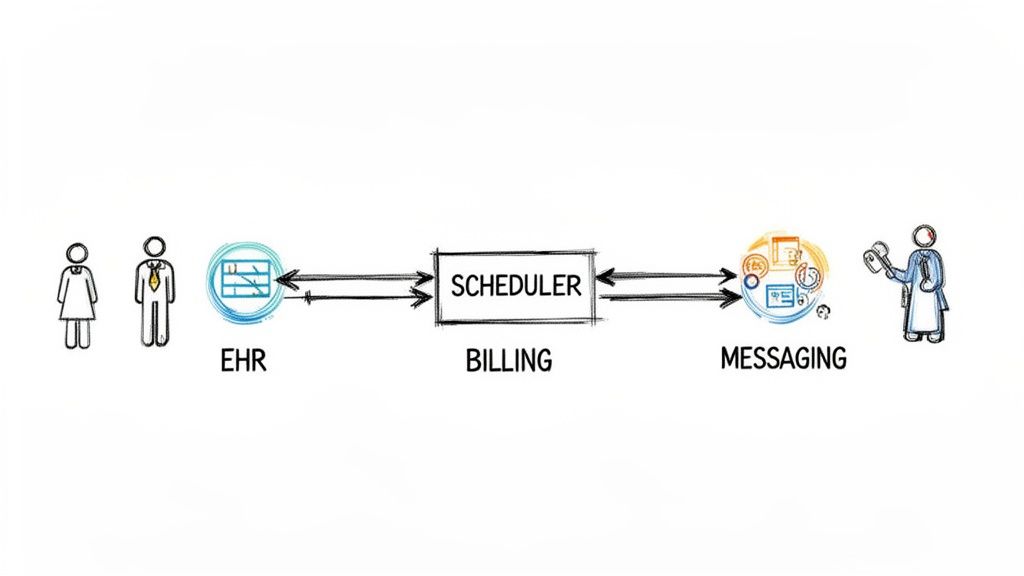
The diagram above shows how these pieces fit together. A clean, simple interface is key, ensuring that even with multiple systems connected, the process remains intuitive for your staff.
Creating a Fully Connected Clinic
While the EHR integration is your cornerstone, connecting other tools is what truly automates your clinic and elevates the patient experience. Here are a few other connections worth making:
- Patient Communication Tools: Linking your scheduler to SMS, email, or voice platforms means that reminders, confirmations, and follow-ups are sent out automatically based on the calendar.
- Billing and Payment Systems: Connect your scheduler to your billing software to automatically generate an invoice or request a co-pay the moment an appointment is booked or completed.
- Voice Automation & AI: What happens when someone calls after hours? Integrating with a service that handles inbound calls can turn those missed opportunities into booked appointments. You can learn more about how automated systems work for clinics and fill your schedule 24/7.
- Standard Calendars: It sounds simple, but syncing with providers' Google Calendar or Outlook is a must. It allows them to see their work schedule alongside personal events, all in one place, on any device.
Every integration you add takes another manual task off your team's plate. The end result is a smooth, automated workflow that not only saves time and money but also delivers a more professional and seamless experience for every patient.
Safeguarding Patient Data with HIPAA Compliance
In healthcare, nothing is more important than patient trust. While you and your team are busy providing excellent care, your technology has to work just as hard to protect patients' sensitive information. This is why the Health Insurance Portability and Accountability Act (HIPAA) is non-negotiable when choosing your healthcare appointment scheduling software. A compliance slip-up isn't just a technical glitch; it's a major breach of trust that can bring on some serious penalties.
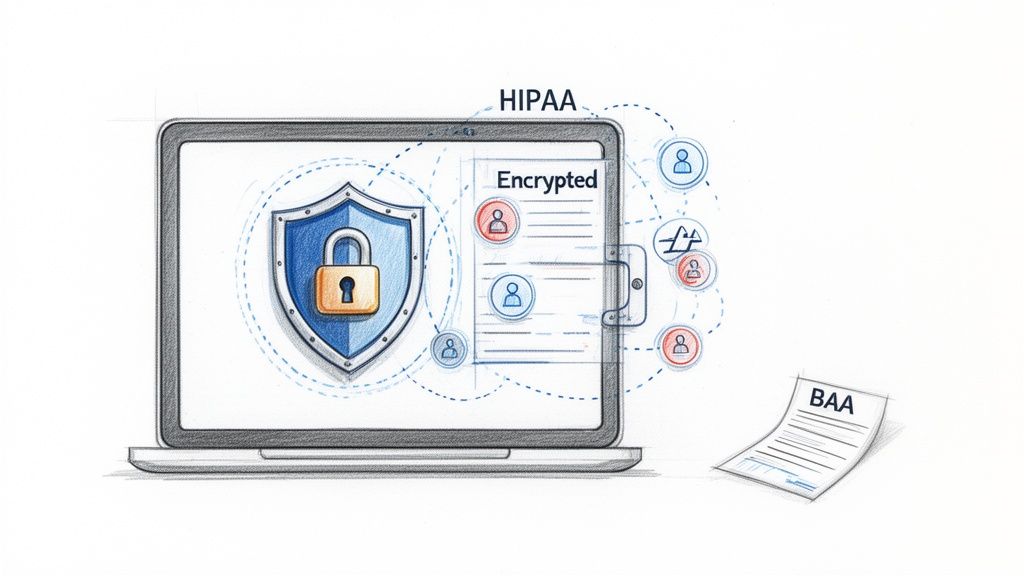
Think of HIPAA-compliant software as a digital Fort Knox for patient data. It’s not enough to just lock the door. The walls need to be blast-proof, and only a select few should ever have the key. In the software world, this "vault" is built with specific security layers designed to protect Protected Health Information (PHI) from anyone who shouldn't see it.
What to Look For in a Compliant System
When you start looking at different scheduling platforms, you need to be laser-focused on their security posture. You’re not just buying a tool; you're handing over the keys to your patients' private data. Your vetting process has to be rigorous.
The first and most critical piece of evidence is the Business Associate Agreement (BAA). This is a legally required contract where the vendor promises to protect PHI according to HIPAA's strict rules.
If a vendor hesitates or refuses to sign a BAA, walk away. It’s a massive red flag and an immediate deal-breaker.
Beyond that essential document, here are the core security features you need to demand:
- Secure Patient Portals: If patients can log in to view appointments or fill out forms, that portal must be locked down with strong, multi-factor authentication.
- Role-Based Access Controls: Your software must let you decide who sees what. The front desk team shouldn't have the same access as a clinical provider, and the system should make it easy to enforce that.
- Detailed Audit Logs: A compliant system tracks every single touchpoint with patient data—who looked at it, when, and what they did. This creates a transparent activity trail that's invaluable for security and accountability.
A vendor’s claim of "HIPAA compliance" is not just another feature to check off a list. It's the absolute foundation of their service. Without a signed BAA and clear, verifiable security practices, a scheduling tool is a liability, not an asset.
This level of scrutiny extends to everything that connects to your scheduler, too. Think about your messaging platforms, automated reminders, and phone systems. Even tools like patient-facing chatbots need to be built from the ground up with these safeguards. For a deeper dive on this, check out our guide on finding a HIPAA compliant chatbot that can safely handle patient interactions.
Ultimately, protecting patient data is a partnership between you and your technology vendor. By asking the tough questions and insisting on these core security features, you can find a scheduling partner that truly protects your patients, your reputation, and your practice.
How to Measure Your Return on Investment
Implementing new software feels great, but how do you actually prove it's making a difference? Gut feelings are one thing, but the real proof is in the numbers. Measuring the return on investment (ROI) for your healthcare appointment scheduling software isn't just about justifying the expense. It’s about building a rock-solid business case for using better technology to improve both your practice and your patient care.
This is how you turn abstract benefits like "better efficiency" into cold, hard cash figures you can show to partners and stakeholders. It’s all about connecting the dots between your new system and your clinic's bottom line.
Key Performance Indicators to Track
Before you can calculate ROI, you need the right data. The first step is to establish a baseline—what did these numbers look like before the new software came along? Once you have that starting point, you can track the changes over time.
Here are the most important metrics to keep an eye on:
- Patient No-Show Rate: This is one of the fastest and most telling indicators of your software's impact. Just calculate it as: (Number of Missed Appointments / Total Number of Appointments) x 100.
- Administrative Hours Spent on Scheduling: Talk to your front desk staff. Get a real estimate of the time they used to spend every day on booking, rescheduling, and confirming appointments over the phone. You want to see this number plummet.
- New Patient Acquisition: How many brand-new patients are booking their first visit through your online portal? This proves the software isn't just a convenient tool for existing patients, but an engine for growth.
- Time-to-Next-Available-Appointment: How long does someone have to wait for an open slot? A smart system with a waitlist feature can cut this down dramatically, keeping patients happy and your schedule full.
These metrics give you the raw material you need to tell a compelling ROI story.
Simple Formulas for Calculating Real Value
With your data in hand, you can start assigning dollar values to your improvements. Let's walk through a few simple, practical calculations.
1. Calculating Savings from Reduced No-Shows
This is often where you'll see the most immediate financial gains.
(Old No-Show Rate - New No-Show Rate) x Average Revenue per Visit x Total Monthly Appointments = Monthly Savings
Let’s say you cut your no-shows from 15% down to 5%. If your average visit is worth $150 and you see 500 patients a month, that simple change just saved you $7,500 in a single month.
2. Quantifying Administrative Cost Savings
Next, let’s turn saved staff time into money.
(Hours Saved per Week) x (Staff Hourly Wage) x 4.33 = Monthly Administrative Savings
Imagine you free up 10 hours of administrative work each week for a staff member earning $20/hour. That’s a savings of about $866 every month that can be reallocated to more valuable, patient-facing tasks.
Putting It All Together for Total ROI
Finally, let's combine your savings and subtract the software cost to find your net return.
(Total Monthly Savings - Monthly Software Cost) / Monthly Software Cost x 100 = Monthly ROI (%)
This simple percentage shows exactly how quickly the investment is paying for itself. This isn't just theory; practices around the world are seeing these results. Recent research shows a 20% drop in administrative burdens and a 15% plunge in patient no-shows after adopting this kind of software. You can read the full research on these efficiency gains for yourself.
By tracking these core metrics, you can clearly demonstrate that your scheduling software is far more than an expense—it’s a strategic investment in a healthier, more profitable practice.
Your Step-by-Step Software Adoption Checklist
Jumping to a new system can feel overwhelming, but breaking it down into manageable steps makes all the difference. Think of this checklist as your roadmap, guiding you from the first "what if" conversation all the way to a successful launch of your new healthcare appointment scheduling software.
The process doesn't start with software demos. It starts with a hard look at your own practice. Getting this foundation right is the key to picking a tool that actually solves your problems instead of creating new ones.
Phase 1: Figure Out What You Actually Need
Before you even glance at a vendor's website, you have to get crystal clear on what you’re trying to fix and what a "win" looks like for your clinic. This first phase sets the entire tone for the project.
- Pinpoint Your Current Headaches: Get your team in a room. Where does your scheduling process fall apart right now? Is it the phone ringing off the hook? The soul-crushing number of no-shows? The mind-numbing manual data entry? Write down your top three to five frustrations.
- Set Real, Measurable Goals: Don't just say you want to "be more efficient." Get specific. Aim for something concrete, like "reduce patient no-shows by 20%" or "cut admin time spent on scheduling by 5 hours per week."
- List Your Must-Have Features: Based on those goals, create your non-negotiable feature list. This will likely include things like real-time online booking, automated reminders, and, critically, the ability to play nice with your current EHR.
Phase 2: Find the Right Software Partner
Now that you know exactly what you're looking for, you can step into the market with confidence. The goal here isn't to find the fanciest platform—it's to find the right long-term partner for your practice.
- Create a Shortlist: Start by identifying three to five potential software providers. Focus on companies that clearly understand the unique demands of a healthcare environment.
- Schedule Live Demos: Insist on personalized demos, not canned sales pitches. Ask them to walk you through your clinic's most common scheduling scenarios. This is your chance to see the software in a real-world context.
- Confirm HIPAA Compliance: This is the ultimate deal-breaker. Ask for their Business Associate Agreement (BAA) upfront. If a vendor hesitates or can't produce one, cross them off your list. No exceptions.
Choosing a software vendor is a lot like hiring a key employee. You need to know they're reliable, trustworthy, and completely dedicated to protecting your patients' sensitive information.
Phase 3: Plan the Rollout and Go Live
You've picked your software. Great! Now comes the most important part: planning a smooth transition. A solid implementation plan is what separates a successful launch from a chaotic one.
- Create a Rollout Plan: Are you going to switch everything over at once, or will you start with a pilot program for a single provider or department? A phased approach is often smarter, as it lets you iron out any wrinkles on a smaller scale.
- Book Staff Training Sessions: A new tool is useless if nobody knows how to use it properly. Make sure the vendor provides hands-on training for everyone, from the front desk team to the clinicians.
- Set Up and Test Everything: Before you flip the switch, work with your new partner to configure all your appointment types, provider schedules, and reminder messages. Most importantly, test the EHR integration relentlessly to make sure data is flowing back and forth without a hitch.
- Announce the Launch: Let your patients know about the new, easier way to book with you. Update your website, put a small sign in your waiting room, and get your team ready to help patients with their first booking.
Got Questions? We’ve Got Answers.
As you get closer to choosing a healthcare appointment scheduling software, a few final questions always seem to pop up. It's smart to get these sorted out before you sign on the dotted line. Let's walk through some of the most common things clinic managers ask when they're in your shoes.
So, What's This Going to Cost?
The price tag on these systems can swing quite a bit, and it really comes down to the specifics of your practice. Think about the number of providers you have, the size of your patient database, and which features are "must-haves" versus "nice-to-haves."
Most companies you'll find operate on a subscription basis. You'll often see pricing set per provider per month, which can be anywhere from $30 to $100. Some offer tiered packages that bundle features for clinics of different sizes. My advice? Don't just look at the monthly number. Always ask about the other costs—things like one-time setup fees, charges for migrating your existing data, and any extra costs for connecting it to your EHR.
Will This Software Play Nicely With Our EHR?
This is a big one. You absolutely have to ask this question. The best scheduling tools are built from the ground up to integrate smoothly with major Electronic Health Record (EHR) systems like Epic, Cerner, and Athenahealth. That connection is what keeps patient data in sync and stops double-bookings or other scheduling nightmares.
A scheduling tool that doesn’t talk to your EHR creates frustrating data islands. Your team will be stuck doing manual data entry, which is not only a time-waster but also a recipe for errors. Before you commit, get a firm "yes" that the software supports your specific EHR, whether it's a ready-made connection or a custom API integration.
How Long Will It Take to Get This Up and Running?
The honest answer? It depends entirely on how complex your clinic's setup is. If you're a small, single-provider practice just needing a simple, standalone scheduler, you could be live in just a few days.
On the other hand, a larger clinic with multiple locations needing a deep EHR integration, a big data migration, and full staff training is looking at a much different timeline. For these more involved projects, you should plan for several weeks, or maybe even a couple of months. A good software partner will lay out a clear implementation plan with specific milestones. They should be your guide, making the switch as painless as possible with minimal disruption to your day.
Ready to ensure no patient call ever goes unanswered? CallCow provides a 24/7 AI voice agent that can book appointments directly into your calendar, even after hours. Discover how it works at https://callcow.ai.