Inbound Call Management Software: Boost Efficiency & Lead Capture
Discover how inbound call management software uses AI to capture leads, boost efficiency, and improve customer satisfaction. Find the right tool today.So, what exactly is inbound call management software? Think of it as a smart, digital receptionist for your business. It’s a system designed to automatically answer, sort, and direct every single phone call you receive.
Instead of a frantic scramble every time the phone rings, this software turns chaotic call traffic into a smooth, organized process for winning new leads and taking care of your existing customers. It’s the essential link between a basic business phone line and a powerful, automated communication hub.
Why Your Business Needs More Than Just a Phone Line
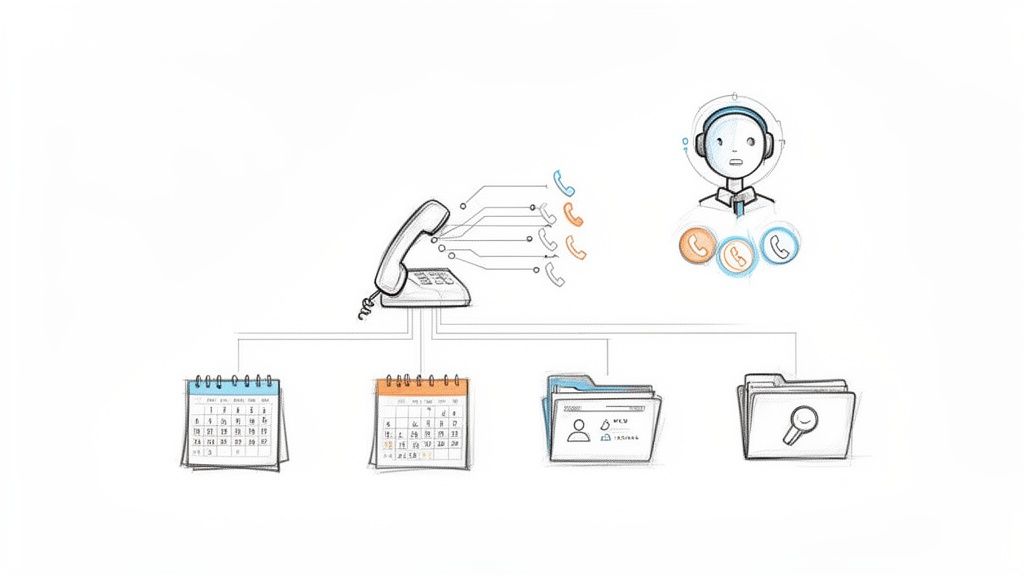
A traditional phone system is like having a single front door for your entire business. When too many people try to get in at once, you get a bottleneck. Calls are missed, customers get stuck on hold forever, and you lose out on real opportunities. This is a classic growing pain for any business where a rising number of calls starts to swamp the team.
Inbound call management software knocks down that single door and builds a modern, intelligent reception area in its place. It's about so much more than just answering the phone; it’s about creating smart, efficient workflows that guide every caller to the best possible outcome.
This is critical because, even today, 66% of customers prefer to solve their problems over the phone. They want—and expect—a quick, helpful experience that only a well-managed system can deliver time and time again.
Let's look at how a modern system solves the daily headaches that a simple phone line just can't handle.
Traditional Phone Systems vs Modern Call Management Software
| Challenge | Traditional Phone System Response | Inbound Call Management Software Solution |
|---|---|---|
| High Call Volume | Rings busy, goes to a generic voicemail, or gets missed entirely. | Automatically queues callers, offers a callback option, or routes to the next available agent. |
| Wrong Department | A human has to manually transfer the call, often multiple times. | An IVR (Interactive Voice Response) menu lets callers choose the right department themselves. |
| No Context | The agent answers "blind," with no idea who is calling or why. | Caller ID and CRM integration show the agent the caller's history and details before they even say hello. |
| Missed Calls After Hours | Calls go to voicemail, leaving potential leads waiting until the next business day. | Routes calls to an after-hours team, a 24/7 answering service, or an automated scheduling system. |
| No Performance Data | You have no idea how many calls were missed, how long customers waited, or how your team is performing. | Provides detailed analytics on call volume, wait times, call duration, and agent performance. |
The difference is clear. One is a passive tool, while the other is an active strategy for growth.
The Shift from Call Handling to Call Intelligence
The real magic of this software is that it applies logic and automation to your phone calls. Instead of a phone ringing into the void until someone happens to be free, the system instantly analyzes the call and directs it based on rules you’ve set up.
This move from simply handling calls to having intelligence behind them is all about achieving a few key goals:
- Stop Missing Opportunities: Every call gets answered, queued, or handled by an automated system, so no potential lead ever falls through the cracks.
- Give Callers a Better Experience: No more long waits or frustrating transfers. Callers get to the right person or department on the first try.
- Make Your Team More Productive: By automating routine tasks like answering FAQs or booking appointments, you free up your team to focus on more important, high-value work.
- Get Data You Can Actually Use: Track everything from call volumes and peak hours to how quickly issues are resolved, letting you make smarter decisions about staffing and strategy.
This strategic shift is driving huge growth in the industry. The global contact center software market, which is built around these kinds of solutions, was valued at USD 49.64 billion in 2025 and is expected to explode to USD 342.54 billion by 2034.
This boom is mostly thanks to cloud-based systems that let businesses of any size get their hands on powerful call management tools without needing a room full of expensive hardware. You can dig into more data on this market expansion and see how companies are using the cloud to scale their customer communications.
At its heart, inbound call management software transforms a chaotic stream of calls into organized, valuable interactions. It ensures that the first impression a customer has with your business is one of efficiency, professionalism, and helpfulness.
Ultimately, this technology helps you move beyond just taking calls. It gives you the tools to manage relationships, capture data, and build a communication system that actually helps your business grow. It’s the difference between just having a phone and having a real communication strategy.
Core Features That Drive Business Growth
To really get what makes inbound call management software tick, you have to look under the hood. These platforms aren't just fancy digital phone lines; they're a smart collection of tools that work together to make every customer interaction smooth and productive. Each feature is designed to solve a real-world business problem, turning potential call chaos into a well-oiled machine.
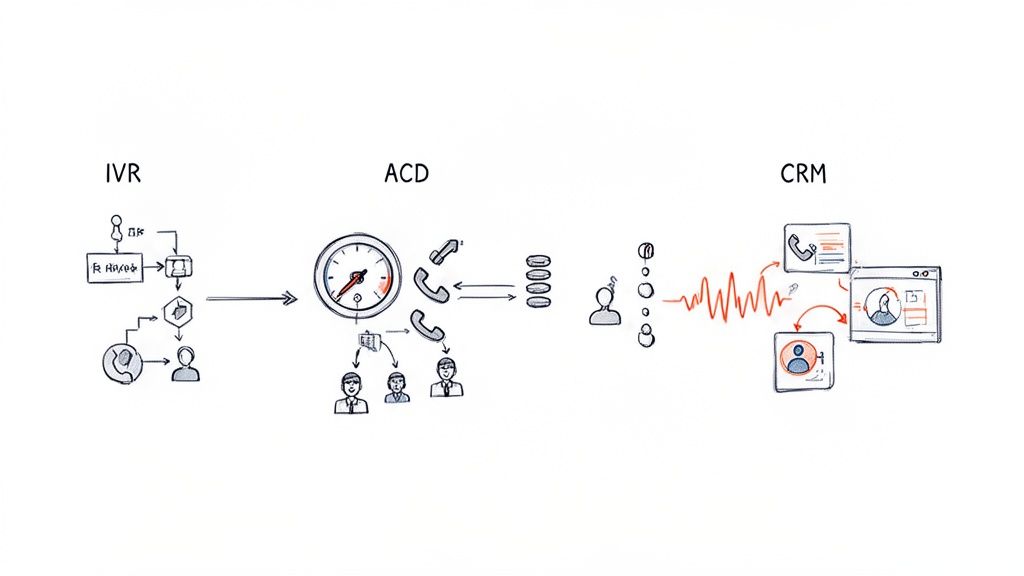
Think of it like an assembly line. Each station has a specific job, and when they all work in sync, you get a perfect result. These features work the same way, guiding every call to ensure it ends up adding value to your business.
Let’s pull back the curtain on the most important ones.
Interactive Voice Response (IVR): The Digital Navigator
For most people calling in, the Interactive Voice Response (IVR) is the first "voice" they'll hear. It’s that familiar automated menu: "For sales, press one. For support, press two." But a good, modern IVR is so much more than a simple switchboard.
It’s really a digital navigator, giving customers the power to get quick answers or route themselves to the right department without ever needing to speak to a person. This self-service is a massive productivity win. It sorts and filters calls before they even hit your team, freeing up your agents to handle complex issues instead of just playing traffic cop. For instance, a customer can check their order status or pay a bill, all on their own.
Automatic Call Distribution (ACD): The Intelligent Traffic Controller
Once the IVR has helped the caller choose a path, the Automatic Call Distribution (ACD) system steps in. This is the brains of the operation—the intelligent traffic controller for your entire phone system. Its one job is to get the call to the best-suited agent based on rules you set up.
The routing can get pretty sophisticated:
- Skills-Based Routing: The call is sent to an agent with the specific expertise needed, which means more problems get solved on the very first call.
- Time-Based Routing: Calls that come in after hours can be sent straight to voicemail, an on-call team, or even a team in a different time zone.
- Round-Robin Routing: Calls are distributed evenly across your team, which helps balance the workload and keep everyone fresh.
By getting callers to the right person right away, a good ACD cuts down on customer frustration and eliminates that internal shuffle of passing a customer from person to person.
CRM Integration and Real-Time Analytics
Hooking your call software into your Customer Relationship Management (CRM) platform is like giving your team superpowers. When a call comes in, the agent’s screen immediately pops up with the caller’s entire history—past purchases, previous support tickets, and any important notes.
This means your agent can start the conversation with, "Hi, Sarah, I see you just ordered the Pro plan yesterday. How can I help?" No more asking the customer to repeat their life story. This one connection turns a generic phone call into a personal, informed conversation that builds real loyalty.
Real-time analytics dashboards are your command center. They give you a live look at critical numbers like call volume, average wait times, how many people hang up, and agent performance. This data is pure gold for making smart decisions about staffing, training, and where to focus your efforts.
Finally, you have features like call recording and queuing. Call recording is fantastic for quality control and training new hires, letting you review conversations to find coaching opportunities. Call queuing manages those busy moments by putting callers in a virtual line, offering a callback option, and preventing the hang-ups that cost you business. Put them all together, and you have a system that turns every inbound call into an opportunity.
The Rise of AI in Call Management
The biggest leap forward in inbound call management software isn't just about routing calls more efficiently—it’s about making the entire system smarter. Artificial Intelligence (AI) has officially moved out of the realm of science fiction and into the heart of modern business tools, turning a simple call manager into a proactive partner that helps you grow.
This is where the technology stops just handling calls and starts actively improving your business.

Let's be clear: this isn't about those clunky, robotic phone menus that make you want to scream. Modern AI is built on sophisticated technology designed to understand, respond, and act with human-like nuance. The goal is to create natural, helpful conversations that solve problems right then and there.
Understanding Natural Language Processing
So, how does an AI actually talk to someone? The magic behind it is Natural Language Processing (NLP).
Think of NLP as the software’s “ears” and “brain,” all rolled into one. It’s the engine that allows the system to listen to what a person is saying, figure out what they actually mean, and then formulate a sensible reply.
Instead of forcing callers into a rigid “press one for sales” maze, NLP lets them speak normally. A customer can just say, "I need to book an appointment for next Tuesday afternoon," or ask, "Can I check on my recent order?" The AI gets it. It understands the context and variations in how people talk, making the whole experience feel smooth and effortless.
This is the key difference between a basic IVR and a true AI voice agent.
How AI Voice Agents Transform Your Workflow
An AI voice agent, supercharged with NLP, does way more than just play traffic cop for your calls. It can take on the complex, repetitive tasks that eat up your team's day, freeing them to focus on high-value conversations and bigger-picture strategy.
Here are a few ways AI agents are changing the game:
- 24/7 Appointment Scheduling: An AI agent can tap into your calendar, find an open slot, and book an appointment with a caller at any time, day or night. You’ll never miss out on a hot lead just because they called after 5 PM.
- Lead Qualification: The AI can ask smart, pre-set questions to figure out if a caller is a good fit. It can then either schedule a follow-up with your sales team or provide more info, making sure your reps only talk to properly vetted leads.
- Instant Answers to FAQs: For all those common questions like, "What are your hours?" or "Where are you located?", the AI can give an immediate answer. This cuts down on the routine calls that pull your team away from more important work.
This kind of automation has a huge effect on both efficiency and customer happiness. The global call center AI market is expected to hit USD 10.07 billion by 2032, and it’s easy to see why. For example, real-time conversational analytics can slash after-call work by 35%. In competitive industries, a unified communication strategy powered by AI helps businesses keep up to 89% of their customers—a massive jump from the 33% retained by companies with clunky, disconnected channels.
AI elevates inbound call management from a reactive tool to a proactive engine for business growth. It ensures every caller receives immediate, intelligent, and helpful service, regardless of the time or day.
This technology is a game-changer, especially for smaller teams. You can see how an AI receptionist for small business can deliver enterprise-level service without the hefty price tag. By automating the front lines of communication, AI empowers businesses of all sizes to offer a consistently professional and responsive experience.
How Different Industries Gain an Edge
The real value of inbound call management software clicks into place when you see it solving actual, everyday business problems. It’s a versatile tool, but its biggest impact is felt in industries where a single missed call can mean a lost client, a blown opportunity, or a major scheduling headache.
This isn't just about being more efficient. It's about creating a professional and responsive front door for your business, no matter what time of day a client decides to knock.
Real Estate Never Sleeps, and Neither Should Your Phone
For real estate agents, the phone is everything. A hot lead on a new listing can call at 9 PM on a Friday or first thing Sunday morning. If you miss that call, you can bet they’re dialing the next agent on their list. This is where an automated call system becomes an agent's best friend.
Imagine an AI assistant fielding calls 24/7.
- Property Inquiries: The AI can answer basic questions—price, address, square footage—and instantly text a link to the online listing for more details.
- Viewing Requests: It can check the agent's live calendar, book a showing on the spot, and send confirmations to everyone involved.
- Seller Leads: It can ask a few qualifying questions about a potential new listing, gathering key info before patching the call through to the agent for a personal touch.
Suddenly, every lead is captured and engaged the moment they reach out. This gives the impression of a large, always-on agency, even for a solo agent working from their car.
Law Firms Build Trust from the First Call
When a potential client calls a law firm, they're often stressed and looking for immediate reassurance. An endlessly ringing phone or a generic voicemail can destroy that crucial first impression. Law firms use call management to create an intake process that feels organized, professional, and empathetic right from the start.
Think about it: a new client calls, and an automated system calmly guides them through a few initial questions. By the time they speak to a person, the firm already has the basic details, making that first human conversation far more meaningful and productive.
For instance, the system can ask, "Are you a new or existing client?" and "What area of law does your case involve?" This simple sorting routes the caller directly to the right paralegal or attorney. The client feels understood and prioritized before a single billable minute has passed. It's a small touch that makes a world of difference.
Healthcare Clinics Reduce No-Shows and Staff Burnout
Front desk staff at medical clinics are constantly juggling phones, patients, and paperwork. It's a recipe for burnout. On top of that, missed appointments—"no-shows"—cost the U.S. healthcare system an estimated $150 billion every year.
Smart call management is a powerful remedy.
Clinics use these systems to automatically send appointment reminders via text or a friendly voice call, which drastically cuts down on no-shows. Even better, when a patient needs to cancel or reschedule, the AI can handle the entire process. This frees up the front desk staff to give their full attention to the patients who are right there in the clinic. You can dig deeper into this in our guide on AI solutions for clinics.
The growing adoption of these tools is clear when you look at the numbers. The market for inbound services hit $57,932.2 million in 2024 and is on track to reach $93,810.7 million by 2030. This growth is fueled by industries that can no longer afford to let leads slip through the cracks. You can discover more insights about this inbound services market growth here.
Industry-Specific Benefits of Inbound Call Management
While the core technology is consistent, its application varies widely. The right features can solve the unique communication challenges that define an industry, turning a constant source of stress into a streamlined process.
| Industry | Primary Challenge | Key Software Solution |
|---|---|---|
| Real Estate | Capturing leads that call after hours & weekends | 24/7 AI-powered call answering with automated appointment scheduling |
| Law Firms | Creating a professional and efficient client intake | Intelligent call routing and automated data collection to qualify new client cases |
| Healthcare | Reducing no-shows and administrative overload | Automated appointment reminders and AI-powered rescheduling to free up staff time |
| Home Services | Dispatching technicians quickly and accurately | Geo-routing to connect callers with the nearest available service provider |
| Hospitality | Managing a high volume of booking inquiries | Interactive Voice Response (IVR) for reservations, FAQs, and room availability |
Ultimately, it’s about meeting customers where they are—on the phone—and giving them a seamless, professional experience every single time.
How to Choose the Right Software
Picking the right inbound call management software is a big deal. Let’s be honest, it can feel a little daunting. The platform you choose is essentially your business's digital front door, and it sets the tone for every single person who calls you. To get past the flashy marketing and find a tool that actually works for you, you need a solid game plan.
This isn't about finding the cheapest option or the one with the longest feature list. It’s about finding a true partner for your business—a system that can grow with you, plug into your existing workflow, and solve your biggest communication headaches without causing new ones.
Assess Your Current and Future Needs
Before you even book a demo, take a look in the mirror. What are the real problems you’re trying to fix? Are calls getting dropped? Are you losing potential customers after hours? Does your team feel like they're flying blind without any context on who's calling? Jot down your top three to five pain points.
Now, think about where you'll be in a year or two. Maybe your call volume will double, or you'll expand your team. A system that’s a perfect fit today could easily become a bottleneck tomorrow if it can't keep up.
Scalability isn't a "nice-to-have," it's a must. The right software should handle ten calls a day just as smoothly as it handles a thousand. Look for platforms that let you add new users, phone numbers, or features without a massive headache or a surprise price hike.
Prioritize Critical Features and Integrations
Once you know what you need, you can focus on the features that actually deliver. Every business is unique, so create a checklist that’s tailored to your operations.
- Core Functionality: Does it nail the basics? Look for smart call routing (ACD), an IVR that’s simple to set up, and dependable call queuing. These are the building blocks of a great caller experience.
- AI Capabilities: How smart is the AI, really? Does it go beyond basic routing? You want features like 24/7 appointment scheduling, lead qualification, and AI that can hold a natural, human-like conversation.
- Integration Power: This one is a giant. Your call software can't be an island. It must play nicely with the tools you already rely on, especially your CRM and calendar. When they connect seamlessly, data flows automatically, and your team gets the context they need without toggling between a dozen tabs.
Evaluate Ease of Use and Voice Quality
The most feature-packed software on the planet is worthless if your team hates using it. Insist on a clean, intuitive interface. A platform that requires a technical manual to set up a simple call flow will just slow everyone down. Modern tools like CallCow are designed so you can be fully up and running in just a few minutes.
And don't forget the most fundamental thing of all: voice quality. During any trial or demo, make some test calls. Is the audio crystal clear, or does it sound like you’re talking through a tin can? Bad audio is an instant credibility killer and will frustrate callers before you even say hello.
Understand the True Cost of Ownership
Finally, let's talk money. Pricing models can be tricky, so you need to dig deeper than the advertised monthly rate.
Ask the tough questions to uncover any hidden costs:
- Are there one-time setup fees? What about a charge for bringing your existing number over?
- Is the pricing per user, per minute, or a simple flat rate?
- How much will it cost to add more phone numbers or unlock premium features down the road?
Look for transparent, predictable pricing. This lets you budget with confidence and ensures your software remains a valuable asset, not a surprise expense on your monthly statement.
Setting Up Your System and Measuring Success
<iframe width="100%" style="aspect-ratio: 16 / 9;" src="https://www.youtube.com/embed/EOX8EJQqNjQ" frameborder="0" allow="autoplay; encrypted-media" allowfullscreen></iframe>Picking the right inbound call management software is a big win, but the real magic happens when you get it up and running smoothly and can actually see the difference it's making. A great implementation isn't about jumping through a bunch of technical hoops; it's about a simple, logical setup that plugs right into how your team already works.
The process should feel intuitive. You’ll start by mapping out your call flows—basically, the rules that tell the system what to do when someone calls. This could be as simple as an IVR menu ("Press 1 for Sales, Press 2 for Support") or something more dynamic that routes calls based on business hours or a caller's history.
Next up, you connect your most important tools. Hooking up your calendar is a must for automating appointment booking, and linking your CRM is a complete game-changer, giving your team instant context on who's calling. Good software makes this a job of a few clicks, not a week-long IT project. To see just how powerful these connections are, check out our guide on HubSpot and Zendesk integration.
Defining and Tracking Key Performance Indicators
So, once you're live, how do you know if it's all paying off? You track the right numbers. These Key Performance Indicators (KPIs) connect the software's features directly to your business goals, giving you concrete proof that your investment was worth it.
Instead of drowning in data, just focus on a few key metrics that tell the real story.
- Call Abandonment Rate: What percentage of people hang up before they even talk to someone? If this number is high, it’s a huge red flag. It could mean your wait times are too long or your IVR menu is confusing. It's the perfect KPI to watch as you tweak your setup.
- First Call Resolution (FCR): How many customers get their problem solved on the very first try? A high FCR is a gold standard for customer happiness and team efficiency. It means you’re getting people to the right person, right away.
- Appointments Booked or Leads Qualified: For any team focused on growth, this is what it's all about. Tracking how many calls turn into a booked meeting or a solid lead shows you exactly how much the software is contributing to your sales pipeline.
By keeping an eye on these KPIs in your dashboard, your call system stops being just a utility and becomes a strategic tool. You get undeniable proof of time saved, opportunities captured, and happier customers.
The infographic below boils down the core decision-making steps—scalability, integration, and pricing—that set the stage for a system you can actually measure effectively.
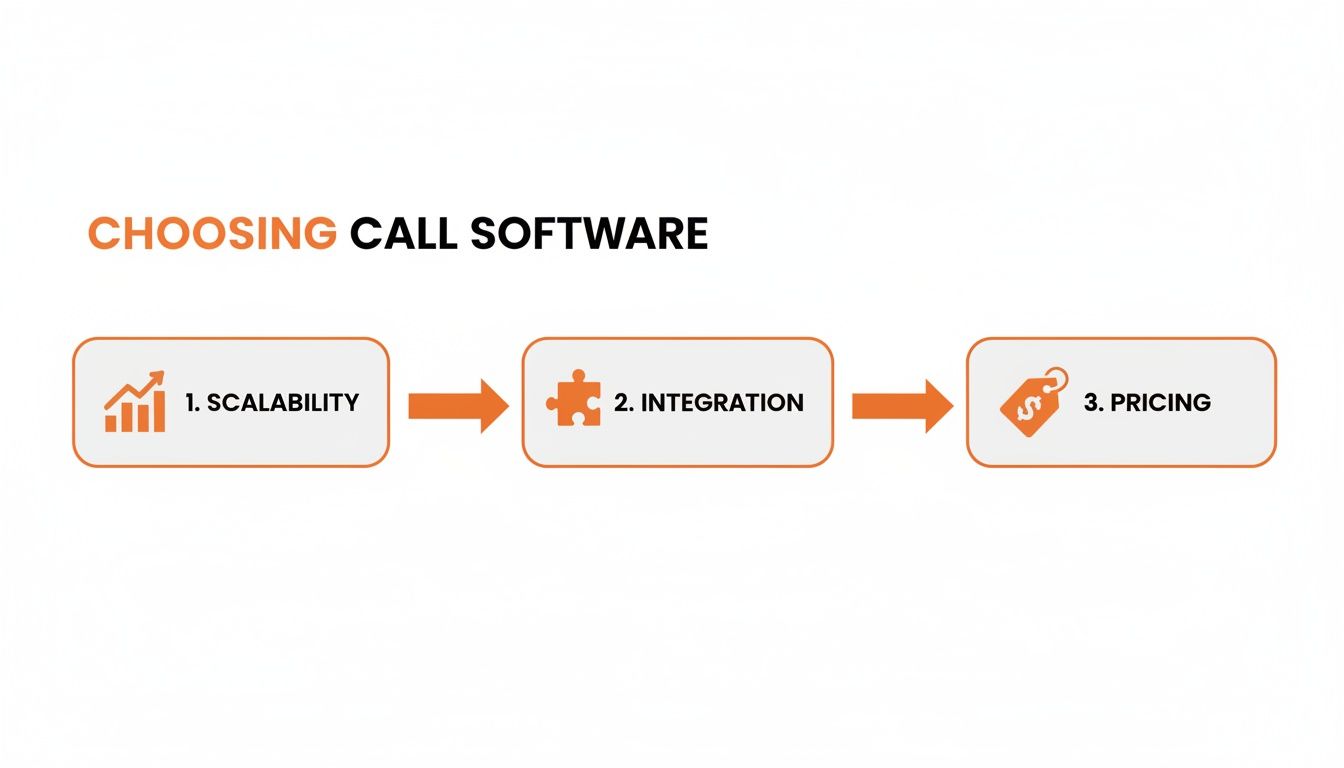
This really drives home the point that a system's ability to grow with your business and talk to your other tools is just as critical as its price tag—all of which directly affects your ability to measure what matters.
Frequently Asked Questions
Thinking about bringing in an inbound call management software? You've probably got a few questions. Let's tackle some of the most common ones with clear, no-nonsense answers.
How Long Does It Take to Set Up?
You'll be surprised how fast it is. We're talking minutes, not weeks. Modern platforms are built to get you started on the same day.
The whole process is pretty straightforward: you pick a phone number, map out your call flows using simple drag-and-drop tools, and link up your other business software, like your CRM or calendar. You won't need to call in an IT specialist to get it done.
Can I Use My Existing Business Phone Number?
Absolutely. Keeping your number is a huge part of a smooth transition. Reputable providers make it easy to port your existing business number over to their system.
This means your customers won't notice a thing. They'll keep dialing the same number they've always used, but behind the scenes, your new, smarter system will be handling the calls. No service interruptions, no confusion.
The real magic is finding the right balance between automation and a human touch. An AI agent is a powerhouse for handling routine tasks—it can book appointments, answer FAQs, and qualify new leads 24/7 without a break. That kind of consistency is a game-changer. But when a conversation gets complicated or needs a personal touch, the system should be smart enough to seamlessly hand the call off to a real person.
What's the Difference Between Call Forwarding and Call Management?
This is a great question, and the difference is massive. Think of call forwarding as a simple one-way street; it just sends an incoming call to a different phone number. That's it.
Inbound call management, on the other hand, is like an entire traffic control system for your calls. It’s a complete platform that includes tools like:
- Intelligent routing (ACD) that directs callers to the best person to help them.
- Interactive menus (IVR) that let customers help themselves.
- Call queuing to keep callers from getting a busy signal during peak hours.
- CRM integration that gives your team instant context on who's calling and why.
Basically, forwarding just diverts a call. A management system actively organizes, directs, and makes every single call more valuable.
Ready to see how an AI voice agent can transform your inbound calls? CallCow handles scheduling, lead qualification, and customer service 24/7, so you never miss an opportunity. Start for free today!