Medical Appointment Scheduling Software Your Clinic Needs
Discover how medical appointment scheduling software boosts efficiency. Our guide covers features, HIPAA compliance, and AI integration to help you choose.Think back to the last time you called a clinic to book an appointment. How long were you on hold? How many back-and-forth calls did it take to find a time that worked? For decades, this has been the reality, relying on paper calendars and endless phone tag.
Medical appointment scheduling software is the answer to that frustration. It's essentially the digital command center for a modern healthcare practice, designed to intelligently manage the entire flow of patients, providers, and even resources like specific exam rooms. It’s built to solve the classic problems that plague front desks: administrative overload, scheduling errors, and the dreaded, costly patient no-show.
The Foundation of a Modern Clinic
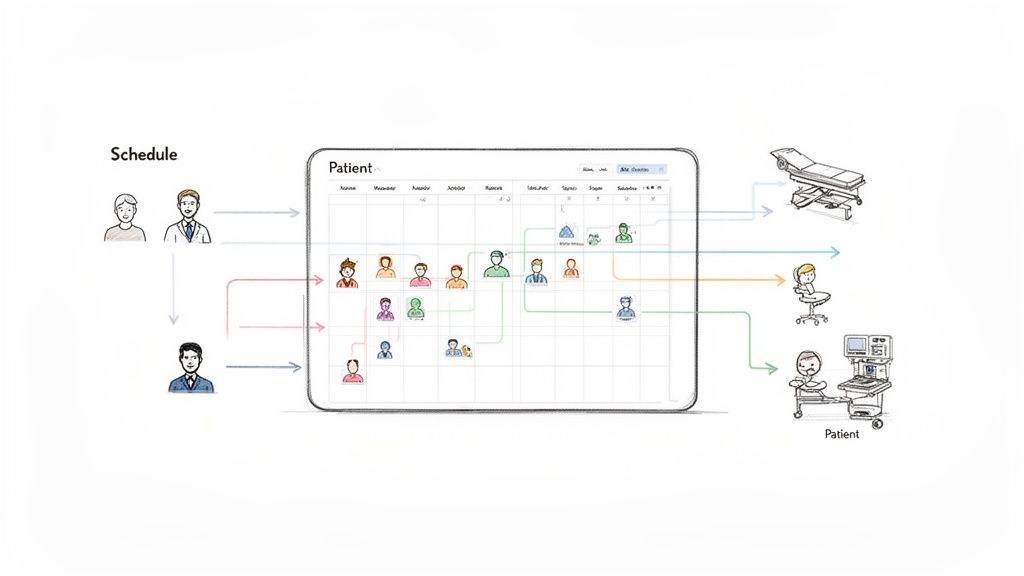
Picture your clinic's daily schedule as a complex puzzle. Every piece—a new patient consultation, a doctor's availability, a specific treatment room—needs to fit perfectly. For years, we've asked staff to solve this puzzle manually, a process that’s naturally prone to human error and inefficiency.
This friction isn't just an internal problem; it directly impacts patients. In fact, one recent survey revealed that a staggering 61% of patients have skipped appointments simply because the scheduling process was too much of a hassle.
This is exactly where a dedicated software solution comes in. It's not just a shared digital calendar; it’s a dynamic system that automates the whole booking process. Patients can see real-time availability and book their own appointments online, 24/7. The system then automatically sends reminders, handles confirmations, and can even manage waitlists and cancellations without a single phone call.
To see the difference in black and white, let's compare the old way with the new.
Manual Scheduling vs. Automated Software
| Aspect | Manual Scheduling (Phone & Paper) | Automated Software Solution |
|---|---|---|
| Patient Access | Limited to office hours; relies on phone calls and staff availability. | 24/7 online self-scheduling from any device. |
| Staff Workload | High; staff spend hours on phone calls, data entry, and reminders. | Low; automation handles bookings, confirmations, and reminders. |
| Error Rate | High risk of double-bookings, incorrect information, and missed appointments. | Minimal; rule-based scheduling prevents conflicts and errors. |
| No-Show Rate | High; depends on manual reminder calls, which are often inconsistent. | Significantly lower due to automated, multi-channel reminders (text, email). |
| Data & Insights | Non-existent; impossible to track scheduling trends or staff performance. | Provides clear data on booking trends, no-show rates, and provider utilization. |
This table clearly shows how automation doesn't just improve a single task—it enhances the entire patient journey and operational workflow.
Beyond the Calendar
The real power of this software is how it connects the moving parts of your practice. It acts like a central nervous system, ensuring information flows seamlessly from the patient's booking confirmation to the provider's calendar and the front desk's daily schedule.
The impact is huge, and the market's growth reflects this. The global demand for medical scheduling software is on track to hit USD 1,127.8 million by 2032. This isn't just about a new tech trend; it's a response to proven results. For instance, patient scheduling tools have been shown to boost patient satisfaction scores by as much as 25%. You can dig deeper into these numbers by checking out the full analysis on medical scheduling software growth trends.
At its core, this software transforms scheduling from a reactive, time-consuming chore into a proactive, automated asset. It helps ensure your clinic runs on time, your providers' schedules are optimized, and your patients feel valued and respected.
This fundamental shift is why a robust scheduling system is no longer a "nice-to-have" but an essential part of modern healthcare. By making it easier for patients to get the care they need, it builds a foundation of efficiency and trust that benefits everyone, from the front desk to the exam room.
Core Features Your Practice Cannot Ignore
When you're choosing medical appointment scheduling software, it's easy to get lost in a long list of features. But to really see how this kind of tool can change your practice, you have to think about how it solves the daily headaches your staff and patients face. Let's dig into the essential features that tackle the biggest operational bottlenecks in healthcare.
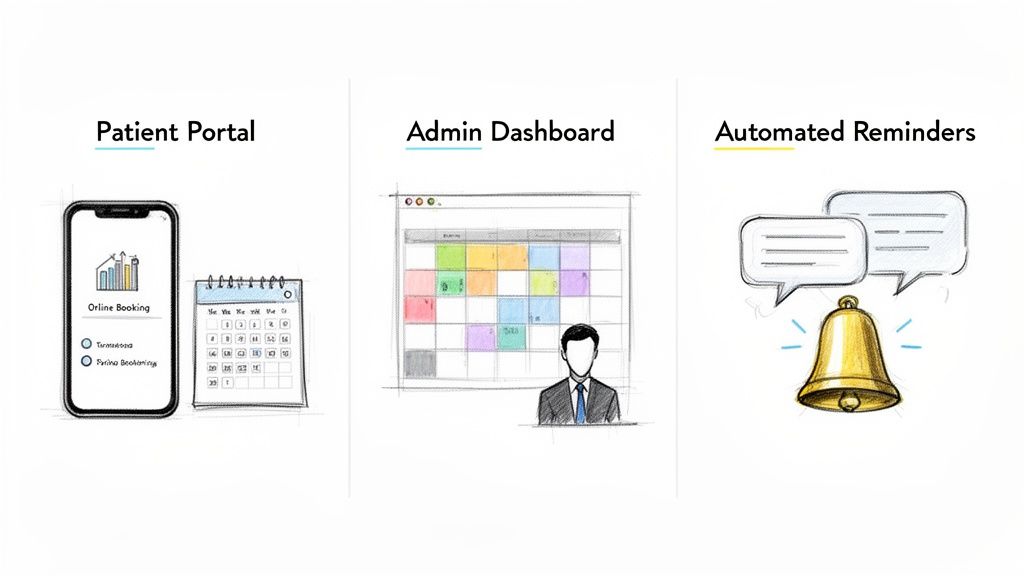
Think of these features as a complete system, like a well-oiled machine. The patient portal is the front door, making it easy for people to walk in. The administrative dashboard is the control room where your staff directs traffic. And the automated reminders are the friendly guides ensuring everyone gets where they need to be on time.
Intuitive Patient-Facing Portals
Your scheduling process is often the first real interaction a patient has with your practice. If it's clumsy or confusing, you're starting off on the wrong foot. It's a surprisingly common problem—research shows a staggering 70% of patients who try to book online end up having to pick up the phone anyway. A great patient portal fixes this by giving patients the control they expect.
This is more than just a booking form; it's about true convenience.
- 24/7 Self-Scheduling: Patients can see your doctors' real-time availability and book a slot whenever it suits them—whether it's late at night or on a weekend—without ever calling your office.
- Provider and Service Selection: Let them easily choose their preferred doctor or select the exact service they need, like a "New Patient Visit" or a "Follow-up Consultation."
- Secure Patient Accounts: Returning patients get a huge benefit here. They can log in to quickly book new appointments, check their history, and even manage appointments for their kids or other family members.
Offering a solid self-service option meets modern expectations head-on and frees your front desk team from being tied to the phones all day.
Powerful Administrative Dashboards
While the patient sees a simple, clean interface, your team needs a robust command center on the backend. The administrative dashboard is where your staff manages the entire scheduling puzzle, making sure every piece fits perfectly without overlaps or double-bookings.
This is the real engine of the software. It needs to give your team a crystal-clear view of the day and the tools to manage it effectively.
A great administrative dashboard doesn't just show a calendar; it gives your team the power to proactively manage provider time, smooth out patient flow, and handle last-minute changes without throwing the whole day into chaos.
Here’s what that command center should include:
- Customizable Provider Schedules: Easily set up and adjust schedules for every provider. This includes blocking out time for lunch, meetings, or those crucial administrative catch-up hours.
- Rule-Based Appointment Logic: You can set rules that make sense for your practice. For example, a "New Patient Visit" can be locked in at 45 minutes, while a "Flu Shot" is always 10 minutes. This logic prevents scheduling conflicts before they happen.
- Color-Coded Calendars: Visual cues are a lifesaver. Staff can see at a glance what kind of appointment is coming up, which doctor it's with, and whether the patient has confirmed.
- Waitlist Management: When someone cancels, the system can automatically ping the next person on the waitlist about the opening. It’s a simple way to fill empty slots and keep your schedule packed.
This level of control ensures your clinic’s time and resources are always used to their fullest potential.
Automated Patient Communication
If you want to talk about immediate impact on your revenue, look no further than automated communication. No-shows are a killer for any practice's bottom line, and having your staff make manual reminder calls is both inefficient and inconsistent. Automation is the direct solution.
But this goes way beyond a single email reminder. The best systems create an ongoing conversation that keeps patients in the loop from the moment they book their appointment until after they’ve left your office.
Key communication tools to look for are:
- Multi-Channel Reminders: Reach patients where they are. Send automated reminders via SMS text, email, and even voice calls.
- Two-Way Confirmations: This is a game-changer. Patients can confirm or cancel just by replying "YES" to a text or clicking a link. That confirmation then updates your calendar automatically, in real-time.
- Post-Appointment Follow-ups: The conversation doesn't have to end when the appointment does. You can automatically send out links to patient satisfaction surveys or reminders to schedule their next six-month check-up.
By automating these touchpoints, you can slash your no-show rate, help patients stay on top of their care, and make your schedule far more reliable.
HIPAA Compliance and Essential Security
When a retail store has a security issue, it's a headache. When a medical practice has one, it's a catastrophe. Generic scheduling tools just aren't built for the high-stakes world of patient data, which is why security and compliance aren't just features—they are the absolute foundation of any medical appointment scheduling software.
At the core of all this is the Health Insurance Portability and Accountability Act (HIPAA). This isn't a suggestion; it's the law of the land for handling Protected Health Information (PHI). Your scheduling software has to be a fortress built specifically to uphold these rules, protecting everything from a patient's name to the reason for their visit. Getting this right is a legal and ethical requirement, plain and simple.
The BAA Is Your Legal Handshake
Before you even look at a demo, your first question for any software vendor should be about their Business Associate Agreement (BAA). This is a legally binding contract that says the software company promises to protect your patients' PHI just as carefully as you do.
Think of a BAA as your non-negotiable security guarantee. Without it, you’re handing over sensitive patient data to a company that has made no legal promise to keep it safe. That puts your practice at massive risk for a data breach and the severe penalties that follow.
This agreement spells out the vendor's responsibilities for everything from data encryption to how they'll notify you of a breach. It’s the formal handshake that makes a software company a trusted partner. If a vendor hesitates or refuses to sign a BAA, walk away. They aren't a serious option for any healthcare provider.
Key Security Pillars To Verify
Beyond that all-important BAA, you need to look for a few key technical security measures. These are the nuts and bolts that work together to keep your data locked down.
- End-to-End Encryption: Information has to be scrambled and unreadable both "in transit" (while it's traveling over the internet) and "at rest" (when it's stored on a server). This makes the data useless to anyone who doesn't have the key to unlock it.
- Secure Data Centers: The physical location of the servers matters. They should have top-tier physical security, backup power, and undergo regular audits to prove they can withstand both digital and real-world threats.
- User Access Controls: The software must let you decide who sees what. Your front desk team might only need to see the calendar, while a practice manager needs access to billing reports. This is called the "principle of least privilege," and it ensures staff only access the information they absolutely need to do their jobs.
Secure Communication Is Not Just A Feature
Patient reminders are a huge part of what makes scheduling software so valuable, but they have to be handled with extreme care in a medical setting. An unsecured text message mentioning a specific clinic or appointment reason is a potential HIPAA violation waiting to happen.
That’s why secure, multi-channel communication is so critical. A HIPAA-compliant system makes sure that automated reminders—whether sent by text, email, or even an AI agent—are transmitted securely. They give the patient just enough information (like the date and time) without ever exposing sensitive health details. This keeps information private while still doing the crucial job of reducing no-shows. For a closer look at how this works, you can learn more about what makes a HIPAA-compliant chatbot a safe tool for patient communication.
Integrating Your Software for a Seamless Practice
Your medical appointment scheduler shouldn't be a lonely island. Its true value comes alive when it talks to the other critical systems you rely on every day. Without those connections, your staff ends up playing telephone, manually copying information from one screen to another—a process that’s both a time-sink and a magnet for errors.
A properly integrated system creates one central, reliable source for all patient and appointment data. When a patient books online, that information should instantly cascade to every other relevant tool in your practice. That’s the magic of automation—it wipes out redundant work and unlocks serious efficiency.
Connecting to Your Electronic Health Records (EHR)
If there’s one connection that’s absolutely non-negotiable, it’s with your Electronic Health Record (EHR) or Electronic Medical Record (EMR) system. The EHR is the clinical brain of your practice, holding every piece of patient health data. Your scheduler needs a direct line to it.
Once these two systems are in sync, the payoff is immediate.
- No More Double Entry: When a new patient books their first visit, their details automatically create a new chart in the EHR. Done.
- Instant Clinical Context: An existing patient schedules a follow-up? The front desk can see their record right away, giving them and the clinical team the full picture before the patient even walks in.
- Fewer Clerical Errors: Manually typing names, birthdates, and insurance info over and over is just asking for trouble. Integration keeps your data clean and consistent across the board.
This link bridges the gap between your front desk and your clinical team, ensuring everyone is on the same page, all the time.
Expanding Your Digital Ecosystem
Beyond the EHR, other integrations can turn your scheduler into a real operational hub. Hooking it up to your practice management or billing software means that as soon as an appointment is marked complete, the billing process can kick off automatically. This tightens up your revenue cycle and cuts down on administrative headaches.
An integrated software environment does more than save time; it creates a predictable, reliable workflow. It ensures that patient data is consistent, billing is accurate, and your team can focus on patient care instead of data management.
You can even connect your scheduler to marketing tools. This helps you see exactly where new patients are coming from. If someone books after clicking a specific ad, that information gets captured, giving you a crystal-clear view of your marketing ROI.
No matter what you connect, security has to be the top priority. Every piece of the puzzle must be HIPAA-compliant.
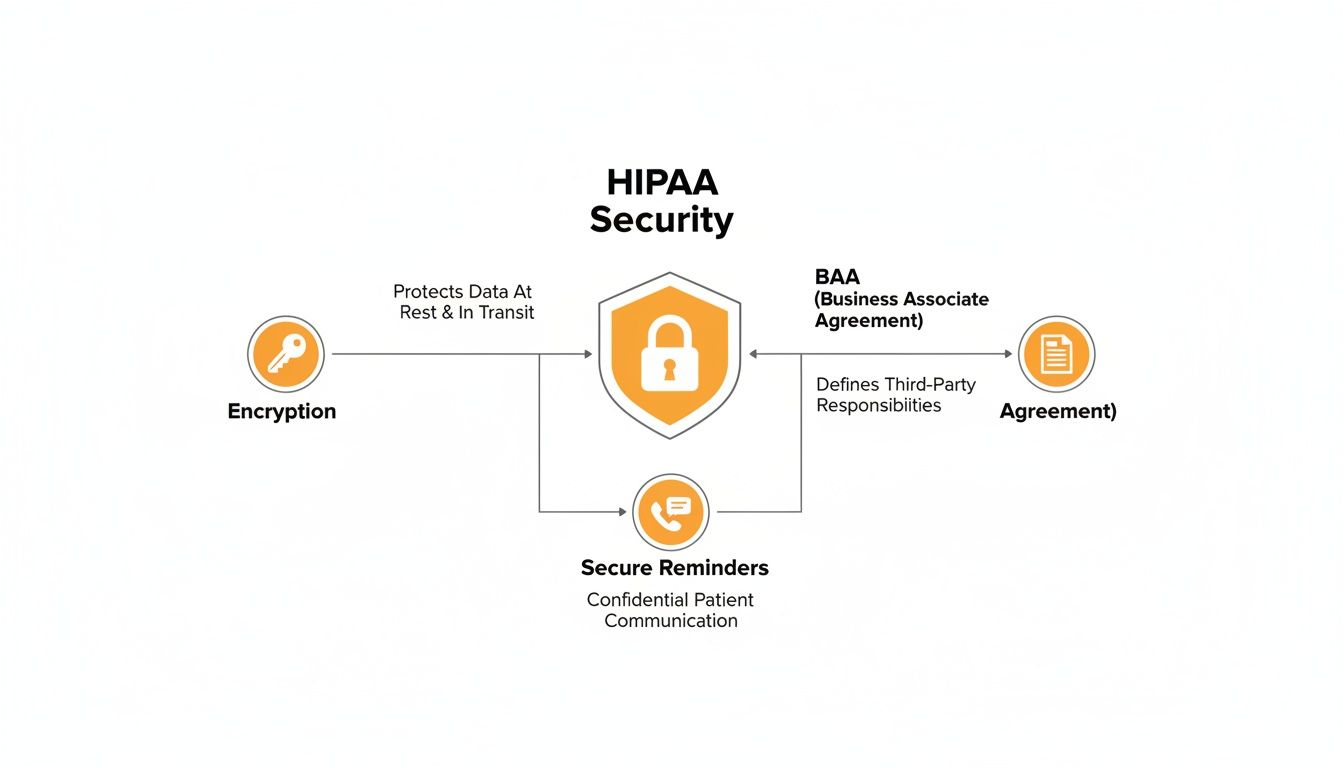
This means things like strong data encryption, secure patient reminders, and having a signed Business Associate Agreement (BAA) with every software vendor are foundational. For a deeper dive, our complete guide to patient appointment scheduling software walks through these security must-haves.
Ultimately, a fully connected system doesn't just make your practice more efficient—it makes it more secure by creating a standardized, controlled flow of sensitive information.
How AI Is Transforming Patient Scheduling
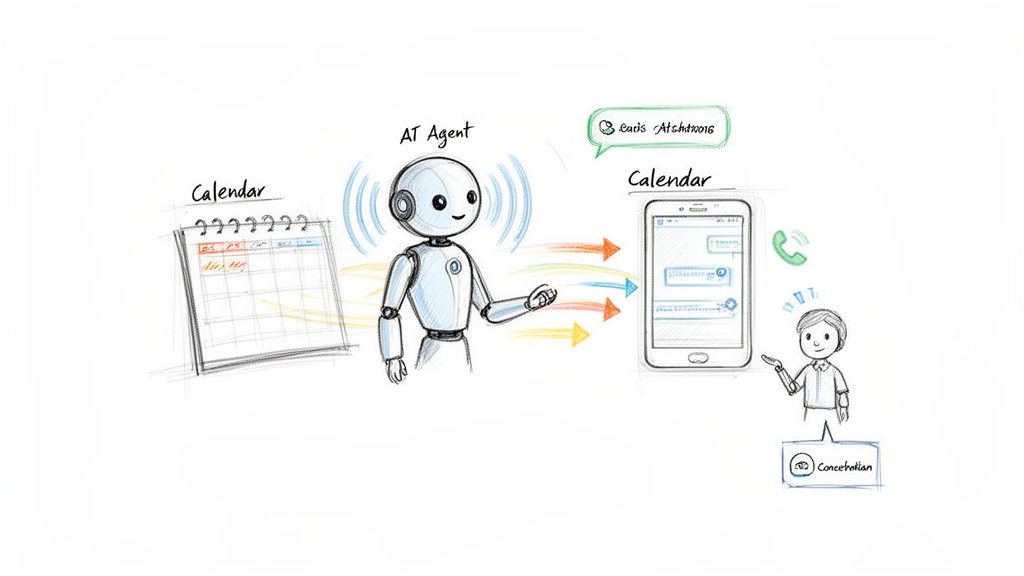
Think of standard scheduling software as the "brain" that keeps your calendar organized. Artificial intelligence (AI) is the "voice" and the "hands"—a digital front desk that can work with that brain 24/7 without needing a human to watch over it. This isn't just a small step up; it's a leap from simply organizing information to actively and intelligently managing your entire appointment workflow.
AI voice agents can answer your phones around the clock. When a patient calls your office after hours, they no longer hit a voicemail. Instead, they can have a natural-sounding conversation with an AI that books their appointment, takes down their details, and syncs it all with your calendar on the spot.
This kind of immediate, always-on availability completely changes the patient experience. It also frees your staff from the constant interruption of routine booking calls, letting them give their full attention to the patients right there in the clinic.
From Passive Tool to Proactive Assistant
The real magic of AI here is its ability to be proactive. Traditional software just sits there, waiting for someone to input information. An AI-powered system, on the other hand, can actually take the initiative. It turns your scheduler into an assistant that actively works to keep your practice busy and profitable.
Here’s what that looks like in the real world:
- Outbound Appointment Confirmations: Instead of just sending a text that might get ignored, an AI agent can actually call patients a day before their visit to verbally confirm. This simple step can dramatically improve your attendance rates.
- No-Show Follow-Ups: The moment a patient misses an appointment, the AI can call them to find out what happened and offer to reschedule. This is how you recover potentially lost revenue right away.
- Waitlist Management: When a cancellation pops up, the AI can instantly start calling patients on your waitlist to offer them the newly opened slot, making sure your schedule stays full.
This kind of automation is no longer a luxury. With staffing shortages and growing administrative burdens, it's becoming a necessity. In fact, the market for AI in patient scheduling is expected to reach USD 555.09 million by 2033, largely because it can help clinics cut no-shows by 40% and see more patients. You can find more details on the rise of AI in patient scheduling in this market analysis.
How AI Voice Agents Work
Think of an AI agent as your best receptionist, but digital. It’s programmed to follow your clinic's specific rules and scripts, so every call is handled just the way you want—professionally and consistently. The technology has gotten so good that conversations are fluid and natural, not clunky and robotic.
An AI agent doesn't replace the human touch. It enhances it by taking over the repetitive, time-consuming tasks. This frees up your skilled staff to manage complex patient needs and provide the empathetic, in-person care that truly matters.
Modern AI agents can also be customized to sound like they're part of your team. Some platforms even let you clone a familiar voice, so when the AI calls a patient, it sounds like a trusted staff member. This builds patient trust and makes them more comfortable with the technology.
To see this in action, check out our guide on the benefits of an AI receptionist for small business. By adding AI, your medical appointment scheduling software becomes a dynamic, intelligent partner that helps grow your practice.
A Practical Checklist for Choosing the Right Software
Picking the right medical appointment scheduling software can feel like a huge task, but breaking it down into a few key steps makes it much more manageable. Think of this as a guide to help you find a tool that genuinely fits how your practice works and what your patients need.
It's a lot like creating a treatment plan for a patient. First, you have to diagnose the problem—your specific needs—before you can prescribe the right solution.
Step 1: Figure Out What Your Practice Actually Needs
No two clinics are the same. A big hospital with several locations has a completely different set of scheduling headaches than a small, one-doctor specialty practice. Before you even start looking at demos, get your team together and make a list of your "must-haves."
Start by asking these questions:
- How complex are our schedules? Do you need to juggle multiple providers with unique hours, different specialties, and specific appointment rules?
- Do we have multiple locations? If you have more than one office, you'll need software that can manage everything from a single, unified dashboard.
- What kinds of appointments do we offer? You’ll want to set different time slots and rules for things like a "new patient visit" versus a "quick follow-up."
Nailing down these operational details first will stop you from getting distracted by fancy features you'll never end up using.
Step 2: Make Sure It's Secure and Compliant
This one is absolutely critical. In healthcare, a data breach isn't just a minor hiccup; it's a massive failure that can destroy patient trust and lead to crippling fines. Security has to be your top priority, period.
Your security checklist needs to cover two main things:
- HIPAA Compliance: The vendor must be willing to sign a Business Associate Agreement (BAA). If they hesitate or refuse, walk away. It's a deal-breaker.
- Data Encryption: Make sure all patient data is locked down with encryption, both "in transit" (while it's traveling over the internet) and "at rest" (when it's sitting on their servers).
A vendor’s attitude toward security tells you everything you need to know about how well they understand the healthcare world. Treat this step with the same seriousness you’d give to a clinical procedure.
Step 3: Test How Easy It Is to Use
Even the most powerful software is worthless if your staff can't figure it out or if it frustrates your patients. It’s a bit shocking, but one study found that 70% of patients who tried to book online ended up having to call the office anyway. That completely defeats the purpose.
When you're doing a demo or a free trial, look at it from two perspectives:
- For Your Staff: Can your front desk team easily move around the calendar, reschedule appointments, and pull up patient info without needing a week of training?
- For Your Patients: Is the online booking process straightforward and easy to use on both a computer and a smartphone?
The goal here is to find a tool that makes life easier for everyone, not one that adds another layer of complexity.
Step 4: Check for the Integrations That Matter
Your scheduling software needs to talk to your other systems, especially your Electronic Health Record (EHR). If it doesn't, your team will be stuck doing double-entry, manually copying information from one place to another. That’s just asking for mistakes and wasted time.
Ask every vendor for a list of their current EHR integrations. You should also ask about how it connects with your practice management and billing software. When these systems work together, patient information flows automatically, keeping everything consistent and your office running smoothly.
Step 5: Understand the Real Cost
Finally, let's talk about money. Software pricing can be tricky, so you need to understand the total cost of ownership, not just the sticker price. Look past the monthly subscription fee and ask about all the other potential charges.
Be on the lookout for one-time setup fees, extra costs for integrating with your EHR, data migration charges, and fees for customer support. Get a clear, all-inclusive quote so you know exactly what you’re getting into and can be sure it fits your budget for the long haul.
Frequently Asked Questions
It’s completely normal to have a few nagging questions when you’re thinking about bringing new software into your practice. You’re not just buying a tool; you're changing how your team and patients interact every single day. Let's tackle some of the most common concerns head-on.
What Is The Real Cost of Scheduling Software?
This is the big one, and the honest answer is: it varies. The price tag really depends on the size of your practice, how many features you need, and the number of providers using the system. Forget about a simple, one-size-fits-all price.
Instead, you’ll usually see pricing broken down in a few ways:
- Per-Provider Subscriptions: This is the most common model. You pay a monthly fee for each doctor or clinician, usually somewhere between $30 to $100 per provider.
- Tiered Plans: Think of this like "Good, Better, Best." Vendors package their features into different tiers (e.g., Basic, Pro, Enterprise) at different price points.
- Usage-Based Fees: Less common, but some platforms might charge based on how many appointments you book or how many text reminders you send.
But the monthly fee is only part of the story. To get the true cost, you have to dig deeper. Always ask about one-time setup fees, extra charges for connecting to your EHR, and whether ongoing support will cost you more down the road.
How Long Will Implementation and Training Take?
The timeline can be anywhere from a few hours to a few weeks. If you’re a small clinic picking a straightforward, cloud-based tool, you could be live the same day. On the other hand, a large practice with multiple locations needing a complex EHR integration should plan for a more structured rollout over several weeks.
The good news? Most modern platforms are designed to be user-friendly. Your staff can usually get the hang of things in a day or two with webinars, video guides, and support docs from the vendor. A great tip for a smooth transition is to pick one person on your team who is comfortable with tech to be your "super user." They can become the go-to expert and help their colleagues get up to speed.
Can Patients Really Self-Schedule Without Causing Chaos?
Yes, they absolutely can. This is a huge fear for many practices, but you're not just handing over the keys to your calendar. Modern scheduling software puts your front desk firmly in control.
You set the rules of the game. For instance, you can:
- Decide exactly which appointment types can be booked online.
- Block out specific times for certain services (like keeping mornings free for new patient visits).
- Make patients answer a few screening questions before they can lock in a time slot.
This gives patients the 24/7 convenience they expect while making sure they only book the right appointments at the right times. It prevents the dreaded double-booking and keeps your daily schedule running smoothly.
Does This Software Support Telehealth Appointments?
Almost any reputable scheduling tool today is built for both in-person and virtual care. They know telehealth is here to stay. Most will connect directly with popular video platforms or even come with their own secure, built-in telehealth feature.
When a patient books a virtual visit, the software handles everything. It automatically creates and sends a secure video link in the confirmation email and reminder texts. This makes the whole process feel seamless and professional for everyone involved, with zero extra work for your staff.
Ready to stop missing calls and start booking more appointments automatically? The CallCow AI voice agent can handle your scheduling 24/7, turning every call into an opportunity. Get started for free today.