
Your Guide to a Realtor Virtual Receptionist
Discover how a realtor virtual receptionist can capture every lead and automate scheduling, helping you close more deals without missing a single call.A realtor virtual receptionist is your secret weapon—an AI-powered service that answers your phone 24/7, qualifies leads, and books appointments for you. Think of it as your digital front desk, always on, making sure you never miss a client call while you're busy with showings or closings.
Beyond Voicemail: How a Virtual Receptionist Works
Forget about a robotic answering machine. A realtor virtual receptionist is more like a tireless, smart assistant that plugs right into your business. When a potential buyer calls the number on your yard sign or a Zillow ad, the AI picks up instantly with a professional, surprisingly human-like voice.
But it doesn't just take a message. The system follows custom scripts you create. It can field common questions, give out property details, and, most importantly, qualify leads right then and there. This means you get to spend your time with serious, ready-to-act clients.
Capturing Every Single Opportunity
In real estate, a missed call is a lost commission. It's that simple. If you're in a client meeting, driving between properties, or just trying to grab lunch, you can't always pick up the phone. A virtual receptionist solves this by providing nonstop, round-the-clock coverage.
This constant availability is a huge advantage. It creates a smooth, professional experience for every single caller, building trust from the first "hello." Instead of hitting your voicemail and immediately calling the next agent on the list, potential leads get the help they need right away.
Smart Integration with Your Workflow
What makes a realtor virtual receptionist so powerful is its ability to connect with the tools you already use every day. It’s built to be the central hub for all your incoming calls, which makes everything you do more efficient.
Key integrations usually include:
- Calendar Syncing: The AI checks your real-time availability and books showings or consultations directly into your Google Calendar or Outlook. No more back-and-forth texts trying to find a time.
- CRM Connection: New lead information, call notes, and qualification details are automatically logged in your CRM. Say goodbye to manual data entry.
- Instant Notifications: You get immediate text or email alerts for hot leads or newly booked appointments, so you're always in the loop.
By automating these front-end tasks, the system frees you from being chained to your phone. You can step out of the "receptionist" role and focus entirely on high-value activities like negotiations, marketing, and closing deals.
The technology is quickly becoming a must-have for modern real estate professionals. The market for virtual receptionist software, once valued at $3.85 billion, is expected to skyrocket to $9 billion by 2033. This growth is fueled by small and medium-sized businesses, including brokerages, where over 58% are adopting these services to cut staffing costs while improving their client service.
This isn't a small change; it shifts your entire business from a reactive model (returning calls from a list) to a proactive one. Every inquiry is handled instantly, and qualified leads are placed directly on your calendar. You can dive deeper into how this works in practice by exploring our guide on specific use cases for realtors.
Let's Talk ROI: What's an AI Receptionist Really Worth?
Theory is great, but let's get down to brass tacks. When you invest in your business, you need to know what you're getting back. For a realtor virtual receptionist, the return on investment (ROI) isn't just a simple number—it's a powerful combination of money saved and money earned.
Think about the cost of a traditional, in-house receptionist. It’s a huge commitment. Once you add up the salary, benefits, payroll taxes, and the desk they sit at, you’re easily looking at over $50,000 a year. That's a fixed cost hitting your books every single month, whether it's a busy season or a slow one.
The Hard Numbers: Cutting Costs Immediately
Right off the bat, an AI-powered receptionist replaces that massive overhead with a small, predictable monthly subscription. This is the most obvious win, and the numbers don't lie.
For real estate pros, the savings are staggering. Some AI solutions can slash your reception costs by a whopping 85-95%. While a human receptionist might cost you anywhere from $40,000 to $60,000 annually, a top-notch AI system typically runs between $25 to $300 a month. Do the math over five years, and you could be looking at savings of up to $250,000.
Beyond Savings: How It Makes You More Money
Cutting expenses feels good, but the real magic happens when your new tool starts generating revenue. In real estate, a single missed call can mean a lost commission, and that's where the ROI for an AI receptionist gets truly exciting.
Picture this—it's 7 PM on a Tuesday, and you're in a listing presentation.
- A motivated buyer sees your yard sign and calls, ready to talk.
- You can't pick up, but instead of getting your voicemail, the AI receptionist answers instantly.
- It provides key details about the property and schedules them for a showing the next morning.
Without that AI, the buyer probably would have hung up and called the next agent on Zillow. By capturing just one extra lead that turns into a sale, your AI receptionist has likely paid for itself for years to come. One commission check completely dwarfs the annual cost, making the return almost infinite.
The real power isn't just in answering the phone. It's in turning those after-hours calls and missed opportunities into qualified, scheduled appointments that lead directly to closings.
The "Soft" Returns That Add Up Big
Not every benefit shows up on a profit and loss statement, but these "soft" returns are crucial for building a sustainable business. They boost your bottom line by making you more efficient and polishing your professional image.
Here are a few of the biggest game-changers:
- You Get Your Time Back: Every call the AI handles, every appointment it schedules, every bit of info it logs—that's time you're not spending on admin. You can pour those hours back into what you do best: prospecting, showing homes, and negotiating deals.
- You Look Like a Pro: When a new lead gets an instant, professional, and helpful response, it sets the tone. It tells them you're organized, responsive, and on top of your game. That first impression builds trust and puts you miles ahead of agents who let calls go to voicemail.
- You Can Grow Without Breaking the Bank: An AI receptionist can handle one call or a hundred calls at the same time, and the quality never drops. This means you can ramp up your marketing and handle a flood of new leads without ever having to worry about hiring more staff.
It’s this mix of direct cost savings, new revenue from captured leads, and powerful operational benefits that makes an AI receptionist one of the smartest moves an agent can make. To see how this tech works for other entrepreneurs, check out our guide on the AI receptionist for small business.
How to Automate Your Real Estate Workflows
A realtor virtual receptionist is so much more than an answering machine. Think of it as the central hub for automating all the tedious, repetitive tasks that eat up your day. By setting up a few smart workflows, you can put client communication, lead capture, and scheduling on autopilot.
This frees you up to focus on what you do best: building relationships and closing deals. Your AI, meanwhile, handles all the logistics with perfect consistency, every single time.
Let's dive into four game-changing workflows you can set up right now. Each one is built to give you back hours in your day, snag more opportunities, and create a smooth, professional experience for every client from the first call.
Workflow 1: Instant Lead Capture and Qualification
That call from your Zillow ad or a yard sign? The clock starts ticking the second the phone rings. If a potential client hits your voicemail, you’ve likely lost them to the next agent on the list. This is where an AI receptionist becomes your secret weapon for lead capture.
Instead of just taking a message, the AI can jump right into a conversation using a script you’ve designed. It asks the crucial qualifying questions you would, like:
- "Are you currently working with another real estate agent?"
- "Have you already been pre-approved for a mortgage?"
- "What’s your ideal timeframe for moving?"
Suddenly, a simple phone call becomes a productive first step. The AI collects the key details, logs everything straight into your CRM, and shoots you an alert about a hot, qualified lead that’s ready for your personal touch.
Workflow 2: Automated Appointment Scheduling
The endless email chains and phone tag trying to book a showing are a massive time-drain for any agent. An AI receptionist gets rid of this headache entirely by plugging directly into your calendar, whether it's Google Calendar or Outlook.
Here’s how easy it becomes when a qualified lead wants to see a property:
- Caller Asks for a Showing: The potential buyer mentions they're interested in one of your listings.
- AI Checks Your Calendar: The virtual receptionist instantly sees your real-time availability.
- Booking and Confirmation: The AI offers the open slots, books the appointment right then and there, and sends confirmations to both you and the client.
Your schedule starts filling up with qualified appointments, and you didn't have to do a thing. To see how these connections work behind the scenes, you can read more about integrating with systems like HubSpot and Zendesk to keep all your data in sync.
The chart below shows just how powerful this is for your bottom line.
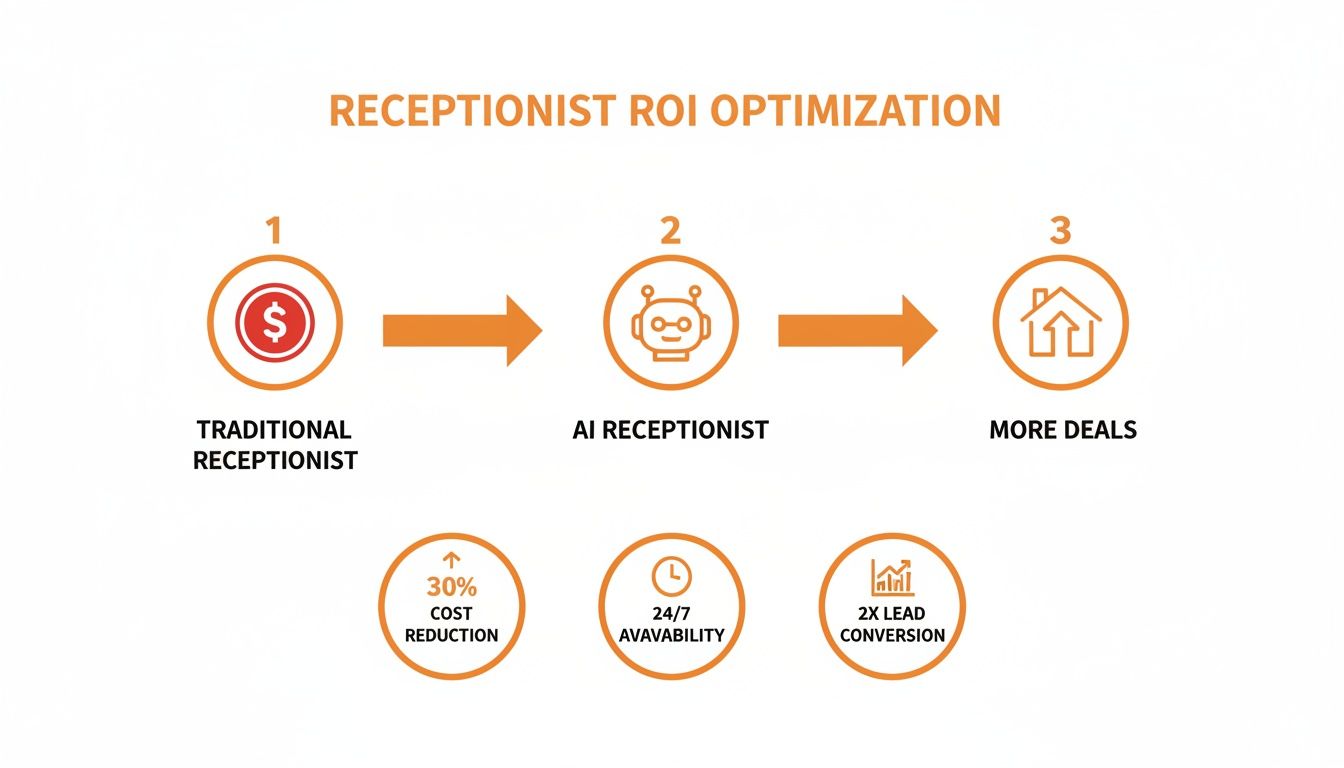
As you can see, making the switch from a traditional, costly setup to an efficient AI receptionist means you capture every opportunity, which directly translates into more closed deals.
Workflow 3: Open House Inquiry Management
Running an open house is great for business, but it can also mean a flood of calls with the same questions over and over: "What time does it start?" "Where do I park?" A dedicated workflow turns your AI into an event coordinator, letting you focus on prepping the property.
You can set up your virtual receptionist to instantly answer all those common questions. But it gets better—it can also act as an RSVP tool, gathering names and contact info from everyone who plans to attend. This gives you a pre-qualified list of prospects and helps you get a sense of how much interest there is before the big day.
The bottom line: Automating your open house inquiries transforms a logistical pain into a powerful lead-gen machine. Every caller gets the info they need, and you walk away with a list of warm leads to follow up with.
Workflow 4: Post-Showing Client Feedback
Getting feedback after a showing is critical. It helps you gauge a buyer's real interest and adjust your strategy. But we all know how frustrating it is to play phone tag just to ask a few simple questions. An automated follow-up workflow takes care of it for you.
Simply set up your AI receptionist to call clients a few hours after they’ve toured a home. It can ask pointed questions like, "On a scale of 1 to 5, how interested are you in the property?" or "What was the one thing you liked most about the home?"
The AI records the answers, transcribes the chat, and logs it right into that client's profile in your CRM. This gives you structured, valuable insights you can act on right away—whether it’s time to write up an offer or find the next perfect property to show them.
Setting Up Your Virtual Receptionist for Success
<iframe width="100%" style="aspect-ratio: 16 / 9;" src="https://www.youtube.com/embed/s3V1hped4AU" frameborder="0" allow="autoplay; encrypted-media" allowfullscreen></iframe>Getting started with an AI receptionist might sound intimidating, but it’s not for tech wizards. The best systems are designed for busy real estate agents, and the setup is surprisingly simple. The whole point is to get it working for you quickly, without causing a major headache or disrupting your business.
Think of it more like setting up a new app on your phone than installing complex software. You’ll be working with a straightforward dashboard that walks you through the process, and you can often be up and running in just a few minutes.
The Core Connections Your AI Needs
For your new AI receptionist to be truly useful, it needs to tap into the tools you already use every day. This is usually a one-time setup that involves connecting a few accounts—no coding necessary. It really comes down to three main connections.
- Sync Your Calendar: This is what makes automatic scheduling possible. You'll link your Google Calendar, Outlook, or whatever you use, so the AI knows your real-time availability. It can then book showings and client meetings directly into your open slots without you lifting a finger.
- Link Your CRM: To stop manual data entry in its tracks, you’ll connect your receptionist to your CRM. This gives it the power to create new contacts, log call details, and update lead information automatically after every single conversation.
- Forward Your Phone Number: This is the critical step that lets the AI actually answer your calls. You can forward your main business line so that calls you can’t get to—or all calls after hours—are automatically sent to your virtual receptionist. It's your ultimate safety net, ensuring no lead ever goes to voicemail again.
The real beauty of this setup is its simplicity. You're not building a system from scratch; you're simply giving a smart tool access to the information it needs to do its job, allowing it to act as a true extension of your business.
There's a reason these systems are catching on so fast. Recent data shows that 58% of small businesses, including tons of real estate brokerages, are now using outsourced services to handle their calls. This is all part of a massive virtual assistant market expected to reach $44.25 billion by 2027, which just shows how much professionals are changing the way they handle communication. You can check out more about the growth of the virtual receptionist market to see how it’s helping teams grow.
Crafting the Perfect Call Experience
Once you’ve got the technical bits connected, it's time for the fun part: making it sound like you. This is where you teach your realtor virtual receptionist how you want it to talk to your clients by creating custom call scripts and mapping out how conversations should flow.
This process involves two key steps:
- Building Call Scripts: You get to decide exactly what the AI says and what questions it asks. For example, you can build a script just for calls from your "For Sale" signs that instantly gives property details and asks a few qualifying questions.
- Defining Workflows: This is where you tell the AI what to do next. If a caller says they're pre-approved, you can have the AI offer to book a showing. If they're just starting their home search, it could offer to text them a link to similar listings on your site.
One of the coolest features you can use is voice cloning. You can actually record your own voice, and the AI will use it for every call it handles. It creates a surprisingly personal and consistent brand experience, making sure every caller is greeted by a familiar and welcoming voice—yours.
Practical Call Scripts for Your AI Receptionist
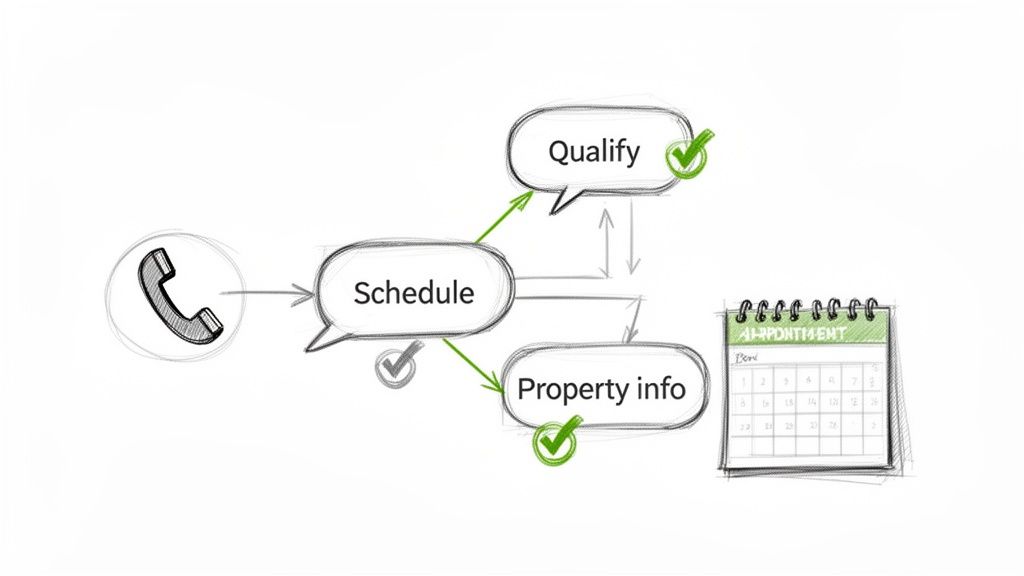
The real magic of a realtor virtual receptionist happens when you tell it what to say. A thoughtful script is what turns a basic answering service into a powerhouse for capturing and qualifying leads. It’s not about making a robot sound human; it’s about creating a smart, conversational path that guides callers exactly where they need to go.
Think of these scripts as your AI’s playbook. You get to set the tone, decide which questions to ask, and define the end goal for every type of call, making sure it all aligns with how you do business. The trick is to anticipate what the caller wants and build a flow that gives them immediate answers while gathering the info you need.
Let’s walk through a few real-world examples you can adapt for your own AI receptionist. These templates are designed to make every ring of the phone a genuine opportunity.
Script 1: A New Buyer Lead from an Online Ad
This is all about speed to lead. When someone calls from a Zillow or social media ad, the goal is to qualify them and book a showing before they click on the next agent’s listing.
To get a feel for how this conversation flows, here’s a breakdown of a typical interaction.
Example AI Script for a New Buyer Lead
| AI Receptionist Prompt | Purpose of the Prompt | Potential Caller Response |
|---|---|---|
| "Thank you for calling Main Street Realty! My name is Alex. It looks like you're calling about our ad for 123 Oak Avenue. Are you hoping to learn more or schedule a tour?" | Immediately confirms the property and presents two clear options, getting straight to the point. | "I'd like to schedule a tour." |
| "Excellent. Just to make sure this home is a great fit, are you currently working with another real estate agent?" | A soft qualification question to understand if the lead is already represented. | "No, I'm not." |
| "Perfect. And have you already been pre-approved for a mortgage? This just helps us make sure we're looking at homes in the right budget for you." | The second key qualifier. Phrased to show a benefit to the buyer, not just an interrogation. | "Yes, we have our pre-approval letter." |
| "That’s wonderful! Our agent has availability for a tour tomorrow at 11 AM or 3 PM. Would either of those times work for you?" | Moves directly to scheduling, offering specific, limited options to simplify the decision and secure the appointment. | "Tomorrow at 3 PM would be great." |
This entire conversation can happen in under a minute, yet it accomplishes what might take several emails or texts to coordinate manually.
Script 2: An Inquiry from a For Sale Sign
A call from a yard sign is a five-star lead. The person is physically at the property, and their interest is at its peak. This script needs to deliver key info instantly and seize the opportunity for an immediate showing.
- Greeting and Info Delivery: "Thanks for calling about 456 Pine Street! This beautiful three-bed, two-bath home is listed at $450,000. It has a newly renovated kitchen and a huge backyard. Would you like me to text you a link with all the photos?"
- Engagement and Scheduling: "Since you're right there, would you be interested in a quick private tour? I can check our agent's calendar right now. Are you free sometime in the next hour?"
- Information Capture: "Great! To confirm the appointment, could I get your first name and the best number for the agent to reach you at?"
Script 3: Rescheduling an Existing Appointment
Cancellations and rescheduling requests are a huge time sink. An AI receptionist can handle this entire process on its own, keeping your calendar clean and your clients happy.
- AI: "Hi, you've reached the automated scheduling line for Main Street Realty. Are you calling to book a new appointment or change an existing one?"
- Caller: "I need to reschedule my showing for tomorrow."
- AI: "I can help with that. Could you please tell me the phone number you used when you first booked?"
- Caller: "It's 555-123-4567."
- AI: "Thanks. I see your showing for 456 Pine Street tomorrow at 2 PM. Let's find a new time. We have openings on Friday at 10 AM and Saturday at 1 PM. Do either of those work for you?"
Pro Tip: This kind of automated workflow does more than just save you a phone call. It gives your clients an immediate solution, makes your business look incredibly professional, and eliminates the risk of double bookings or missed appointments.
Script 4: Managing After-Hours Calls
Leads don’t stick to a 9-to-5 schedule. This script ensures that a call at 10 PM on a Tuesday night isn't a missed opportunity but the start of a new client relationship.
- AI: "Thank you for calling Main Street Realty. Our office is closed for the evening, but I can still help you. Are you calling about a specific property?"
- Caller: "Yes, I saw a house online and had a few questions."
- AI: "I can definitely help with that. Which property address are you interested in?"
- Caller: "789 Maple Drive."
- AI: "Great choice. An agent will be available first thing in the morning at 9 AM. I can have them give you a call as soon as they're in. Would that work for you?"
- AI: "To set that up, could I please get your name and the best number for the call-back?"
Got Questions? We’ve Got Answers.
Switching up how you handle client calls is a big deal, and it’s smart to have questions. You want to know you’re making the right move for your business and your clients. Let's tackle some of the most common things agents ask when they're thinking about a realtor virtual receptionist.
The whole idea is to get you comfortable with how this works, showing you it's not some complicated tech gadget but a reliable part of your team. Once you see how seamless it is, you'll wonder how you ever managed without it.
Will My Clients Know They’re Talking to an AI?
This is the big one, and the short answer is: probably not. Today's AI voice technology has gotten so good it's genuinely hard to tell the difference. The tone, pacing, and language are incredibly natural.
Plus, with features like voice cloning, the receptionist can sound just like you or a trusted team member. Most callers will just have a quick, helpful conversation and hang up, never guessing they weren't speaking to a person. The goal is to get their needs met, plain and simple.
Is This a Pain to Set Up with My Current Tools?
Not at all. These systems are built for busy real estate pros, not tech wizards. You can usually get everything up and running in less than five minutes.
Think simple, drag-and-drop workflow builders and one-click connections to the CRMs and calendars you already rely on every day. It’s typically as easy as forwarding your phone number and giving the system permission to access your calendar. Most companies also have a support team ready to walk you through it if you hit a snag.
The system is designed to be plug-and-play. The point is to save you time and help you capture more leads from day one, not to add another complicated piece of software to your plate.
What if a Call Gets Too Complicated for the AI?
You’re always in control. You can build in “escape hatches” for those tricky or high-stakes calls. If a caller asks something unexpected or needs to speak with a human right away, the AI can be set to instantly transfer the call to your cell phone.
Another option is to have it fire off a high-priority text to you with the caller's info or offer to schedule a callback. This way, you have a safety net to make sure no important conversation ever slips through the cracks.
Can It Handle a Bunch of Calls at the Same Time?
Absolutely—and this is where it really shines. An AI receptionist can take on dozens, even hundreds, of calls at once. No one ever gets a busy signal or gets stuck on hold.
Imagine you just launched a hot new listing or a big ad campaign. Every single lead that calls in gets answered immediately. That's the kind of power that ensures you never miss an opportunity.
Ready to see how an AI voice agent can free up your time and grow your real estate business? CallCow offers a human-sounding, 24/7 call-handling solution designed specifically for agents and teams like yours. Get started with CallCow today.