Virtual Assistant for Medical Practice: A Guide for Modern Clinics
Discover how a virtual assistant for medical practice can streamline tasks, improve patient scheduling, and boost clinic efficiency.So, what exactly is a virtual assistant for a medical practice?
Think of it as your digital front desk. It’s a specialized service, often powered by smart AI, that takes over administrative work like scheduling, handling patient intake, and managing phone calls. This frees up your in-house team to give their full attention to the patients in your office, not the phone that won’t stop ringing.
It ensures no patient call gets missed, day or night, all while keeping your operational costs in check.
Why Modern Clinics Are Turning to Virtual Assistants
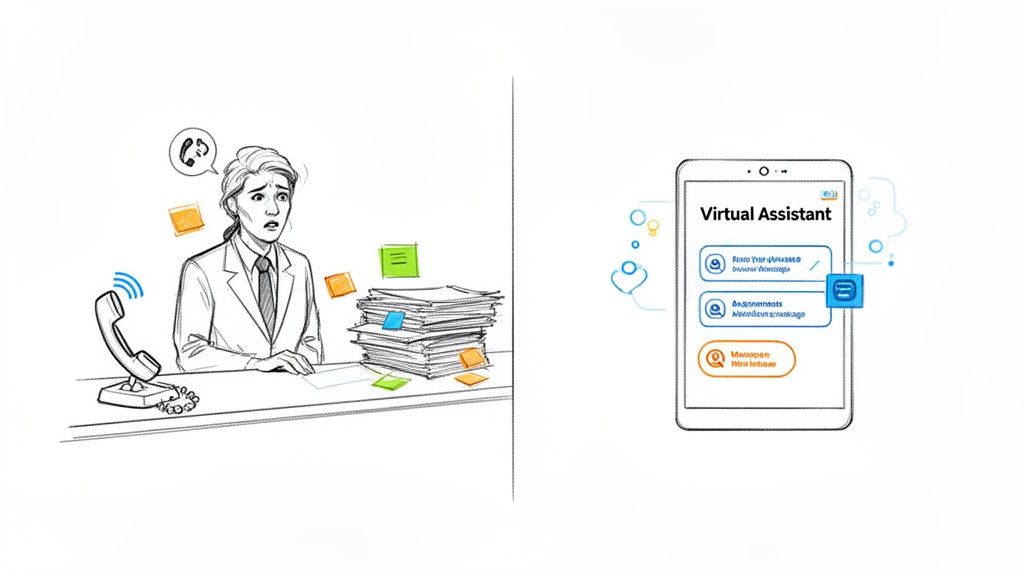
Running a clinic is a constant balancing act. On one hand, you have the critical mission of providing top-notch patient care. On the other, there's a mountain of administrative work that can easily bog down your staff and pull their focus away from what really matters.
The phones ring off the hook. Scheduling becomes a frustrating game of Tetris with appointments, cancellations, and reschedules. Patient intake forms seem to multiply on their own. Each of these tasks, while vital, takes your skilled team away from the patients right in front of them. The result? Longer wait times, a stressed-out team, and a patient experience that’s far from ideal.
Overcoming Common Practice Hurdles
This administrative overload creates very specific headaches that a virtual assistant is perfectly designed to solve:
- Missed Opportunities After Hours: A surprising number of patients try to call outside of the typical 9-to-5 workday. Without someone there to answer, every one of those missed calls is a lost appointment and lost revenue.
- Administrative Burnout: Think about the repetitive tasks: sending appointment reminders, making insurance verification calls, and answering the same basic questions over and over. This is a major cause of staff burnout and can lead to high turnover.
- High No-Show Rates: An empty appointment slot is a direct hit to your bottom line. Manually calling every single patient to confirm is a huge time sink and isn't always effective. Smart, automated reminders do a much better job of getting patients through the door.
A virtual assistant is a force multiplier for your front desk. The goal isn’t to replace your team. It’s to give them a powerful tool that manages the high-volume, repetitive tasks so they can focus on high-value patient interactions.
This is where a dedicated virtual assistant for medical practice makes a real difference. By handling these essential functions, you can get your clinic's operations running like a well-oiled machine. It’s a smart move that boosts efficiency, improves staff morale, and lets you deliver the focused, quality care your patients deserve.
So, What Exactly Is an AI-Powered Medical Assistant?
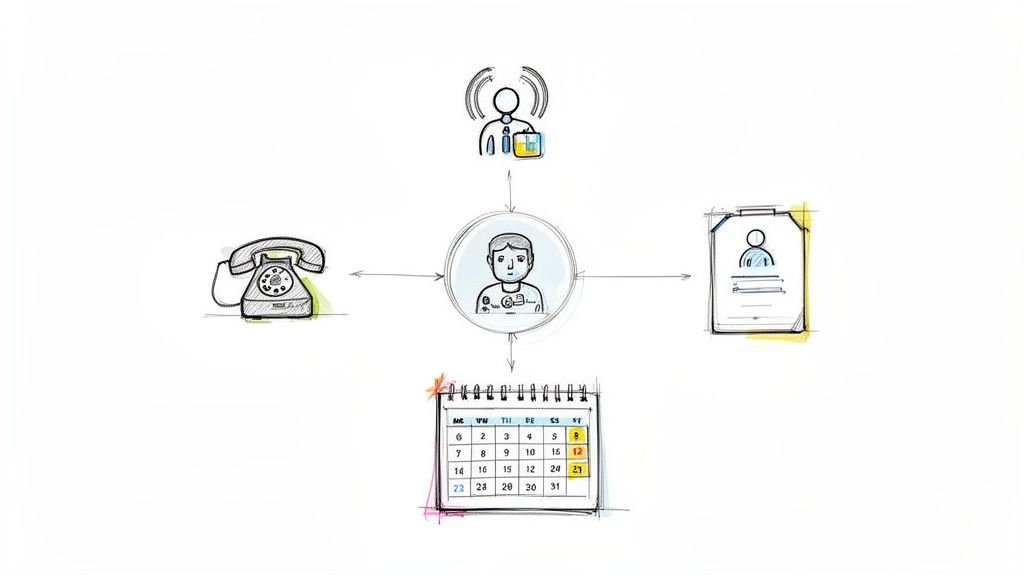
When you hear “virtual assistant,” you probably picture a person working remotely, handling emails and scheduling from their home office. While that’s one model, the modern virtual assistant for medical practice is a different beast entirely. It’s a smart, AI-driven system built from the ground up to handle the specific, often chaotic, demands of a medical clinic.
Think of it less as a person and more as an automated, tireless team member. It’s your front desk receptionist, appointment scheduler, and patient reminder service all rolled into one—and it’s on the clock 24/7, no breaks required. This isn't just about farming out tasks; it's about automating them with a level of precision and intelligence that a human team, no matter how dedicated, can't always match.
This shift is happening fast. The market for healthcare virtual assistants hit $1.41 billion in 2025 and is expected to balloon to $19.2 billion by 2035. That explosive growth is a direct response to a real-world problem: clinics are drowning in administrative work. You can discover more insights about this market growth on golean.health.
How Does the AI Actually Work?
The magic behind this tool comes down to two key pieces of technology: Artificial Intelligence (AI) and Natural Language Processing (NLP). You don’t need to be a tech wizard to grasp what they do. Simply put, AI is the “brain” making the decisions, and NLP gives it the “ears and mouth” to understand what people say and respond like a human.
When a patient calls, NLP lets the system figure out what they want, whether they say, "I need to make an appointment for next Tuesday," or, "I have to move my check-up." The AI brain then dives into your clinic's calendar, finds an open slot, offers it to the patient, and locks it in. The whole exchange is seamless.
An AI-powered virtual assistant doesn't just follow a rigid script. It listens, understands context, and adapts its responses, creating a patient experience that feels helpful and natural, not robotic.
This ability to listen and react is what separates a truly smart assistant from those frustrating, old-school phone menus. It can navigate tricky scheduling rules, flag an urgent request, and know exactly when a situation needs a real person to step in.
The Core Jobs of a Medical AI Assistant
A virtual assistant proves its worth by taking the most repetitive, time-consuming tasks off your staff's shoulders, freeing them up for the work that matters most—caring for patients.
Here are the main things it's built to do:
- Smart Call Routing: The assistant instantly figures out why someone is calling. New patient? Billing question? Prescription refill? It sends the call to the right person or handles it on the spot, so patients get help fast without being bounced around.
- 24/7 Appointment Management: It never sleeps. The assistant catches every appointment request that comes in after hours, on weekends, or during holidays. It can book, confirm, cancel, or reschedule appointments right in your practice management system, turning missed calls into filled slots.
- Automated Patient Outreach: It’s proactive, not just reactive. The system can automatically send appointment reminders via text or a friendly voice call. This one simple task is a game-changer for reducing no-shows and keeping your schedule full.
- Basic Information and FAQs: It acts as a know-it-all for your clinic, answering common questions like "What are your hours?" or "Do you accept my insurance?" This alone saves your staff from answering the same questions dozens of times a day.
By mastering these core functions, the assistant quickly becomes a critical part of your practice’s daily operations.
The Real-World Benefits of Automating Your Front Desk
Let’s move beyond the technical specs. What does a virtual assistant actually do for your medical practice day-to-day? The impact isn't just a theory on a spreadsheet; it's a direct upgrade to how your clinic runs, built on three powerful pillars: better efficiency, real financial growth, and a much-improved patient experience.
Think about what happens when you free your front desk staff from the tyranny of a constantly ringing phone. Instead of juggling calls, scheduling, and answering the same questions over and over, they can focus entirely on the patients standing right in front of them. This is how you prevent burnout and keep your best people happy.
By letting an AI handle the routine, you empower your team to manage the moments that truly matter—like walking a patient through a tricky billing question with empathy or making sure an anxious person feels at ease. You end up with a team that's more focused, more effective, and a lot less stressed.
Boost Your Clinic's Financial Health
One of the first things you'll notice is a healthier bottom line. An AI virtual assistant doesn't clock out. It’s always on, catching every call that would have otherwise gone to voicemail. That after-hours call from a new patient or the holiday inquiry about an appointment is now a booked visit, turning lost opportunities into a full schedule.
This 24/7 availability means more appointments and higher patient volume without inflating your payroll. The savings become crystal clear when you stack it up against the cost of hiring more staff, which brings salaries, benefits, and training into the equation.
A virtual assistant isn't just an operational tool; it's a revenue-generating asset. By ensuring no patient call goes unanswered, it actively works to keep your appointment book full and your practice growing.
To put this in perspective, let's compare the two options side-by-side.
Human Receptionist vs AI Virtual Assistant A Cost-Benefit Analysis
This table breaks down the costs, availability, and core functions of a traditional front-desk employee versus implementing an AI virtual assistant like CallCow.
| Feature | Traditional Human Receptionist | AI Virtual Assistant (e.g., CallCow) |
|---|---|---|
| Availability | 8-10 hours/day, 5 days/week | 24 hours/day, 7 days/week |
| Annual Cost | $35,000 - $50,000+ (salary, benefits, taxes) | Starts at a fraction of one month's salary |
| Call Handling | Manages one call at a time; others go to hold or voicemail | Handles unlimited simultaneous calls; no hold times |
| After-Hours | Missed calls, lost opportunities | All calls answered, appointments booked |
| Patient Intake | Manual data entry, prone to human error | Automated, consistent data collection |
| Reminders | Manual calls or texts, time-consuming | Fully automated voice and text reminders |
| Core Strengths | Empathy, complex problem-solving, in-person care | Speed, efficiency, consistency, cost-effectiveness |
While an AI can't replace the human touch needed for complex patient care, it handles the high-volume, repetitive tasks with unmatched efficiency and at a significantly lower cost. This frees up your human staff to do what they do best: care for patients.
Drastically Reduce No-Shows and Improve Scheduling
The financial impact also hits one of the biggest resource drains in any clinic: no-shows. A missed appointment is more than a schedule disruption; it's a direct hit to your revenue. This is where a virtual assistant delivers a huge return.
An AI is relentless and perfectly consistent with proactive communication. Automated appointment reminders sent via text or voice call are simply more effective than a staff member trying to catch up between other tasks. This single feature has a massive impact. For example, automated reminders alone can cut no-show rates by up to 22%. When you realize that missed appointments cost the U.S. healthcare system a staggering $150 billion each year, you can see how significant that reduction is. You can learn more about these medical billing findings on emitrr.com.
This consistent follow-up does more than just fill appointment slots; it creates a more reliable and predictable schedule for your entire clinical team. For practices looking to truly master their workflow, it makes sense to explore dedicated tools. Take a look at our guide on choosing the right patient appointment scheduling software for more ideas on optimizing your clinic's calendar.
Elevate the Patient Experience
At the end of the day, every improvement should circle back to the patient. A virtual assistant ensures that from the very first phone call, patients feel heard. No more long hold times, confusing phone trees, or waiting hours for a callback just to book a checkup.
Giving patients immediate, intelligent assistance makes your practice feel both professional and accessible. They can schedule a visit whenever it works for them—late at night after the kids are in bed or first thing in the morning. This smooth, easy interaction creates a fantastic first impression and builds the kind of loyalty that keeps patients coming back.
How a Virtual Assistant Works in a Clinical Setting
Let’s move past the technical jargon and features for a moment. To really get a feel for how a virtual assistant can change your practice, it helps to see it in action during a typical day. This isn't about abstract technology; it's about solving the real, everyday headaches that your staff and patients face.
Think of the assistant as a digital front-desk coordinator, tirelessly managing the flow of calls and messages so your team can focus on the patients right in front of them. It takes all the repetitive, predictable tasks off their plate and handles them perfectly every single time, whether a patient calls at 2 PM on a Tuesday or 2 AM on a Sunday.
This whole process is designed to help you see more patients with less manual work, which ultimately leads to a healthier bottom line.
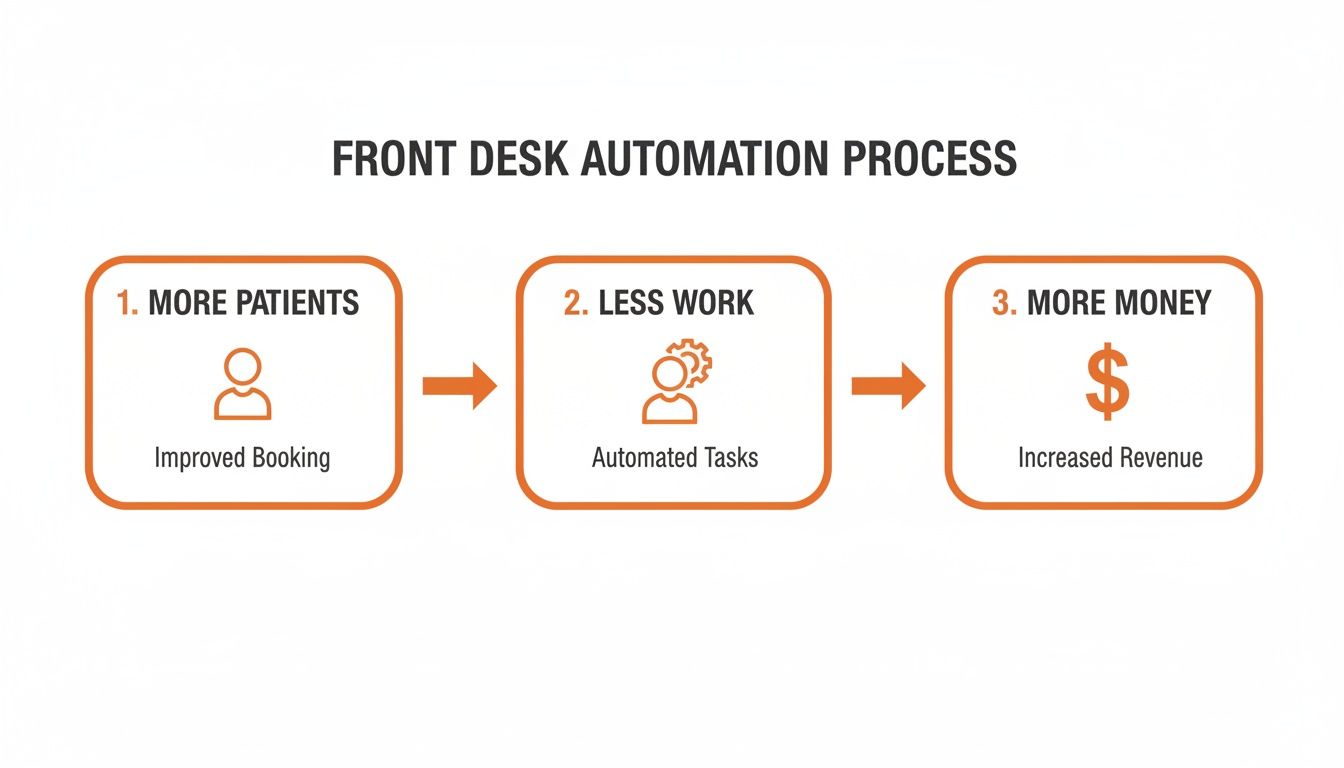
When you cut down on administrative friction, you create more room for growth. It’s that simple.
Handling a New Patient Booking
Picture this: It's late at night, and a potential new patient, Sarah, calls your clinic, worried about a persistent cough. Instead of getting a generic voicemail and possibly calling a competitor, she’s greeted by your AI assistant.
AI Assistant: "Thank you for calling Elmwood Medical Clinic. I can help you book an appointment. Are you a new or existing patient?" Sarah: "I'm a new patient." AI Assistant: "Welcome to our clinic! I can book you for an initial consultation with Dr. Allen. Are you available this Thursday afternoon or Friday morning?"
The AI instantly checks Dr. Allen’s live calendar, offers a few concrete time slots, and books the appointment on the spot. A moment later, Sarah gets a confirmation text with the clinic’s address and a link to the new patient forms. Just like that, you’ve captured a new patient who would have otherwise been lost to the after-hours void.
Managing Routine Prescription Refills
Now, let's take a regular patient, Tom. He needs a refill on his blood pressure medication and calls during the lunchtime rush when your front desk is swamped.
The virtual assistant recognizes his phone number from your EHR.
AI Assistant: "Hello, Tom. Are you calling about a prescription refill?" Tom: "Yes, I need a refill for my Lisinopril." AI Assistant: "I see your last prescription was for a 90-day supply of Lisinopril 10mg. Is that what you need refilled?" Tom: "That's the one." AI Assistant: "Great. I've sent a refill request to Dr. Allen’s nurse for approval. We'll text you once it's been sent to your pharmacy. Can I help with anything else?"
This whole exchange takes less than a minute. The assistant logs the request, creates a task in the EHR for the clinical team, and lets Tom move on with his day—all without pulling your staff away from their work.
The core function of a medical virtual assistant is to triage and automate. It expertly handles routine requests on its own and knows precisely when to escalate complex issues to a human team member, ensuring both efficiency and safety.
This intelligent sorting is what stops your team from getting buried in administrative tasks. It filters out the simple stuff so your people can focus their energy on patients who need them most.
Automating Appointment Reminders
No-shows are a killer for any practice's schedule and revenue. A virtual assistant tackles this head-on with automated reminders. Two days before Sarah's appointment, she gets a simple text message.
Automated Text: "Hi Sarah, this is a reminder of your appointment with Dr. Allen at Elmwood Medical Clinic on Thursday at 3:00 PM. Please reply YES to confirm or call us to reschedule. Thank you!"
When Sarah replies "YES," the system automatically flips her appointment status to "Confirmed" in your scheduler. This one simple, automated workflow can reduce no-show rates by over 20%, helping you keep the schedule full and predictable. It’s a tiny action that delivers a huge return by protecting your providers' time.
Conducting Pre-Visit Intake
To make Sarah's first visit as smooth as possible, the assistant also helps with her intake paperwork. Remember that confirmation text? It included a link to a secure digital form. If she hasn't filled it out by the day before, the assistant might send a gentle nudge.
Follow-Up Text: "To speed up your check-in, please complete your new patient forms before your visit: [Secure Link]. This will help Dr. Allen prepare for your consultation."
Because of this, Sarah’s insurance info, medical history, and consent forms are already in the system when she walks in. This saves everyone time, cuts down on data entry mistakes, and means the appointment can start on time, focusing entirely on her health.
Your Guide to Implementation and Integration
Bringing a virtual assistant into your medical practice isn’t about flipping a switch; it’s about thoughtful planning. A great rollout strategy connects the technology directly to how your clinic actually works, turning a piece of software into a genuine team player from day one.
The real aim here is to build a seamless extension of your front desk. You want a system that understands your workflows and improves the patient experience, not one that adds another layer of complexity. It all starts by asking the right questions and figuring out what success looks like for your practice.
<iframe width="100%" style="aspect-ratio: 16 / 9;" src="https://www.youtube.com/embed/w4Lk4coKHAw" frameborder="0" allow="autoplay; encrypted-media" allowfullscreen></iframe>Charting Your Course: An Implementation Checklist
Before you start looking at vendors, a little internal homework can make the whole process smoother and far more effective. Think of this as drafting the job description for your new digital team member.
-
Define Your Primary Objective: What’s the single biggest headache you’re trying to solve? Are you bleeding revenue from missed calls after hours? Is your front desk staff drowning in scheduling requests? Are no-shows constantly derailing your day? Get specific. A clear goal—like capturing 95% of missed calls or cutting no-shows by 20%—will guide every other decision you make.
-
Map Your Current Workflows: Take a minute to sketch out how things get done right now. How does a new patient book their first visit? What are the exact steps for handling a prescription refill request? This map will instantly show you where a virtual assistant can step in to handle the repetitive stuff and clear out those bottlenecks.
-
Identify Key Integration Points: Make a quick list of the software your practice relies on every single day. We’re talking about your Electronic Health Record (EHR) system, your practice management software, and any shared digital calendars. Any virtual assistant you consider must play nicely with these tools.
-
Prepare Your Team: Let your staff know what’s coming, and do it early. It’s crucial to frame this as a tool to help them, not replace them. Explain that the assistant will take over the tedious phone tag and endless scheduling, freeing them up to focus on the patients standing right in front of them. It’s a move that often boosts job satisfaction in a big way.
The Critical Role of EHR and Software Integration
Integration isn't just a techy buzzword—it's the secret sauce that makes a medical virtual assistant truly powerful. Without a direct, live connection to your core systems, the assistant is essentially flying blind. It's working with old information, which is a recipe for scheduling errors and frustrated patients.
Think of the assistant as a bridge connecting your patients to your clinic's data. For that bridge to be sturdy and reliable, it needs to be securely anchored to your EHR and scheduling software.
A non-integrated assistant is just a fancy answering machine. A fully integrated assistant is a true digital team member, capable of checking real-time availability, updating patient records, and personalizing interactions based on existing data.
This connection is what allows the magic to happen. When a patient calls to book a visit, the assistant sees your actual, up-to-the-minute schedule. When it sends an appointment confirmation, that confirmation is written directly back into the patient's file in your EHR, creating one source of truth for the entire team.
Must-Have Features for Seamless Operations
As you start comparing different platforms, you'll find that some features are simply non-negotiable in a medical environment. The checklist below covers the absolute must-haves to ensure your virtual assistant operates efficiently, securely, and in perfect sync with your practice.
Essential Features for a Medical Practice Virtual Assistant
| Feature Category | Essential Capability | Why It's Critical |
|---|---|---|
| HIPAA Compliance | Provides a Business Associate Agreement (BAA) | This is a legal requirement to ensure patient data is protected according to federal law. No BAA, no deal. |
| EHR/PMS Integration | Offers native or API-based connections | This allows the assistant to read and write key data, like appointments and patient info, directly to your system. |
| Calendar Syncing | Real-time, two-way calendar synchronization | This is what prevents double-bookings and ensures the assistant always offers accurate, available appointment slots. |
| Customizable Workflows | Ability to build logic for different call types | You need to handle new patients differently than existing ones. This lets you tailor responses for any scenario. |
| SMS & Email Notifications | Automated alerts for staff and patients | Keeps everyone in the loop about new bookings, cancellations, and important reminders automatically. |
Ultimately, these features are the foundation of a system that doesn't just answer calls, but actively contributes to the smooth, secure, and efficient operation of your practice.
Keeping Patient Information Safe: HIPAA and Security
In a medical practice, protecting patient information isn't just a good idea—it's the law. Anytime you bring in new technology, especially something that handles patient data, you have to put security and HIPAA compliance at the very top of your list. When a virtual assistant joins your team, it will inevitably interact with Protected Health Information (PHI), and there is zero room for error.
This might sound intimidating, but it doesn't have to be. Think of HIPAA as the non-negotiable rulebook for handling sensitive data. A trustworthy virtual assistant provider won't just know these rules; they'll have built their entire platform around them. Your job is to make sure those protections are locked in tight before you sign on the dotted line.
Your Most Important Document: The Business Associate Agreement
First things first: you absolutely must have a Business Associate Agreement (BAA) in place with the vendor. This is a legally binding contract that holds the vendor to the same high standards of PHI protection that your own practice follows. It clearly lays out their responsibilities for keeping data safe and spells out who is liable if something goes wrong.
It's simple, really. If a virtual assistant provider won't sign a BAA, you walk away. It’s a hard stop. A refusal is an immediate deal-breaker, no matter how great their technology looks.
This single agreement is your fundamental guarantee that a potential partner takes security seriously and is legally on the hook for protecting your patients' private information.
The Security Questions You Need to Ask
Getting a BAA signed is the first step, but you need to dig into the technical side of things, too. Your patients' trust is in your hands, so don't be shy about asking direct questions about how their system is built.
Here’s what you need to confirm with any provider you’re considering:
- End-to-End Encryption: Are call recordings, transcripts, and all other data encrypted from the moment they're created until they're deleted? This locks out prying eyes, whether the data is on the move or sitting in storage.
- Secure Data Storage: Ask them where and how they store patient data. They should be using secure, compliant servers with crystal-clear policies for how long data is kept and how it's eventually destroyed.
- Access Controls: Who on their team can see your data? The answer should be "almost no one." Look for strict, role-based access controls that limit viewing rights to only essential, authorized personnel.
- Audit Trails: Does the system keep a detailed log of every action? This is crucial for accountability, allowing you to see exactly who accessed what information and when.
Making sure your chosen platform nails these security basics is essential for keeping your practice compliant and maintaining the trust you've built with your patients. For a closer look at how modern tools are designed to meet these tough standards, it’s helpful to understand what goes into a HIPAA-compliant chatbot and the security principles that guide its development. It's a great way to see these technical requirements in a real-world context.
Your Top Questions About Medical Virtual Assistants, Answered
It's completely normal to have a few questions before adding a new tool to your practice, even when the benefits seem clear. Let's walk through some of the most common queries we hear from practice managers to help you feel confident about this decision.
Can An AI Voice Really Sound Natural To Patients?
Yes, it absolutely can. Forget the robotic, choppy voices you might be imagining from a decade ago. Today's AI voice technology is incredibly sophisticated and sounds surprisingly human.
These systems are built to be conversational. They use natural speech patterns, intonation, and can understand the nuances of a conversation. You can even customize them to match the warm and professional tone of your clinic, making sure your patients feel comfortable and heard from the moment they call.
Will A Virtual Assistant Replace Our Front Desk Staff?
Not at all. Think of it as empowering your team, not replacing them. The whole point is to give your staff a powerful tool to offload the repetitive, high-volume tasks that cause so much administrative burnout.
We're talking about routine appointment scheduling, sending out reminders, and answering the same basic questions over and over. By automating that, you free up your skilled staff to focus on what they do best: handling complex patient needs, providing compassionate care in person, and managing situations that require a real human touch.
It allows your team to operate at the top of their game, which is better for them and better for your patients.
How Complicated Is The Setup Process?
You’ll be surprised at how fast and easy it is. Most platforms are designed for busy clinic managers, not IT wizards, and you can often get the basics up and running in just a few minutes.
Typically, the process looks something like this:
- Connect your practice's main phone number.
- Link your current calendar and patient software.
- Customize how you want calls to be handled using simple, ready-made templates.
Good providers will also have a support team ready to walk you through everything, making sure the setup is perfectly matched to how your practice works.
How Does The Tool Integrate With Our Existing EHR System?
This is a critical piece, and it's all about secure, seamless integration. A quality virtual assistant will connect to your Electronic Health Record (EHR) system through a secure pipeline, usually an API (Application Programming Interface).
This live connection is the magic that makes it all work. It lets the assistant look up patient details for verification, check your calendar for real-time availability, and write appointment information directly into the correct patient file. No more manual data entry or double-booking.
Crucially, always ensure any vendor provides a Business Associate Agreement (BAA) to maintain full HIPAA compliance. This is non-negotiable for protecting your patients' data and your practice.
Ready to see how an AI-powered voice agent can transform your clinic's front-desk operations? CallCow handles your calls 24/7, books appointments directly into your calendar, and frees your staff to focus on patient care. Start your free trial today at CallCow.