
Supercharge Growth with virtual assistant for small business
Discover how a virtual assistant for small business can streamline tasks, save time, and grow your operations. Learn tips to get started.A virtual assistant for small business isn't just a remote contractor anymore. Today, it’s often a smart AI service built to handle the non-stop flow of administrative, sales, and customer support tasks. Think of it as your round-the-clock receptionist, appointment setter, and lead filter, all rolled into one—minus the overhead of a full-time hire.
What Is a Virtual Assistant and Why Small Businesses Need One
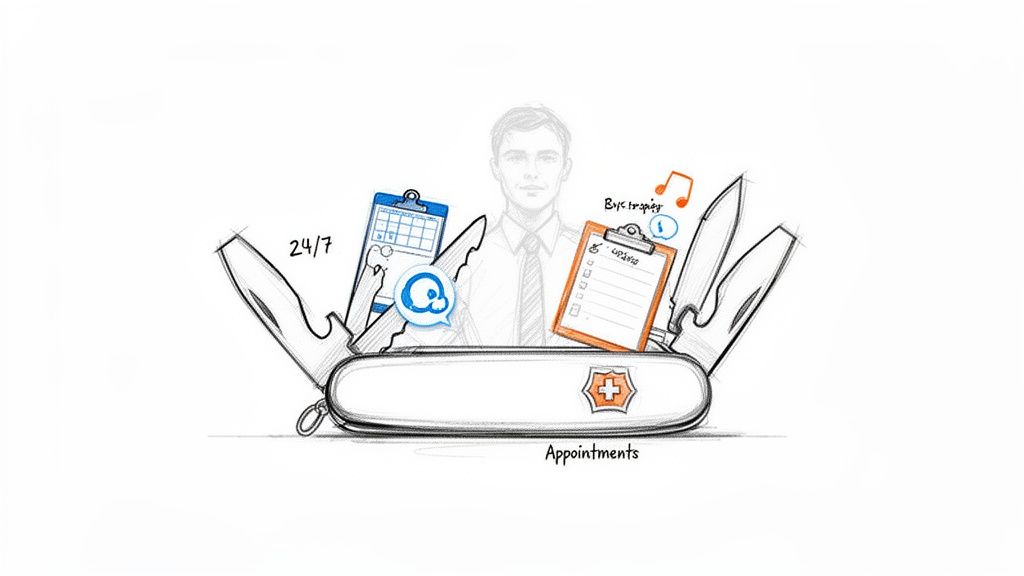
As a small business owner, you know the pain. Every missed call feels like a lost opportunity. Every minute you spend scheduling appointments is a minute you're not growing the business. This is exactly where a virtual assistant steps in. It's designed to give you back your time and capture revenue that would otherwise fall through the cracks.
Imagine a system that works 24/7, making sure a new customer never has to hear your voicemail greeting. But it's not just a fancy answering machine. Modern VAs, especially the AI-powered ones, are more like a Swiss Army knife for your daily operations. They’re intelligent systems that plug right into your workflow and get to work.
Beyond a Simple Answering Service
The real magic of a modern VA is what it can do after picking up the phone. A well-designed system doesn't just take a message; it takes action.
Here's a glimpse of what that looks like:
- Qualify Leads: It can ask the right questions to figure out who's a hot prospect and who's just kicking tires, so you only spend time on calls that matter.
- Book Appointments: By syncing directly with your calendar, it can schedule consultations, demos, or service calls instantly. No more frustrating email tag.
- Provide Instant Support: It can answer frequently asked questions about your hours, location, or services, giving callers the quick info they need.
- Automate Follow-ups: Once an appointment is set, it can automatically send text or email reminders to reduce no-shows and keep your calendar packed.
This kind of intelligent automation is why the virtual assistant market is exploding. In fact, it's projected to hit $55.4 billion by 2035. Small businesses are at the forefront of this shift because they stand to gain the most, often saving up to 78% on operating costs compared to hiring an in-house employee.
A virtual assistant transforms your phone from a constant interruption into an automated, revenue-generating machine. It's the silent partner that works tirelessly in the background, allowing you to focus on the strategic work that only you can do.
Whether you're a real estate agent trying to catch late-night leads, a clinic manager overwhelmed with patient calls, or a law firm partner needing a better way to handle new client intake, a VA is a solution that grows with you.
You can learn more about how a virtual receptionist for small business can specifically manage your calls and scheduling in our detailed guide. It's a game-changer for any growing company.
Traditional Receptionist vs Modern Virtual Assistant
Thinking about how this stacks up against a traditional hire? It's a night-and-day difference in terms of cost, availability, and what they can actually do for your business. Here’s a quick breakdown.
| Feature | Traditional Receptionist | AI Virtual Assistant |
|---|---|---|
| Annual Cost | $45,000+ (salary, benefits, insurance) | Starts at ~$100/month (subscription-based, scales with usage) |
| Availability | 8 hours/day, 5 days/week (plus sick days, vacation) | 24/7/365, no breaks or holidays |
| Scalability | Limited; can only handle one call at a time | Can handle hundreds of calls simultaneously |
| Capabilities | Takes messages, transfers calls, schedules appointments manually | Books appointments directly, qualifies leads, sends auto-reminders |
| Integration | Manual data entry into CRM and other tools | Directly integrates with calendars, CRMs, and other software |
As you can see, while an in-person receptionist adds a human touch, an AI virtual assistant delivers unparalleled efficiency and cost savings. It’s not just about answering the phone; it’s about automating the entire front-end of your business.
Calculating the Real ROI of a Virtual Assistant
<iframe width="100%" style="aspect-ratio: 16 / 9;" src="https://www.youtube.com/embed/CUB3R5a8c2U" frameborder="0" allow="autoplay; encrypted-media" allowfullscreen></iframe>It’s easy to look at a virtual assistant as just another monthly expense. That’s a common mistake. The real magic isn't just about what you save on salary and benefits—it's about the new revenue it helps you create and the existing revenue it protects. The true return on investment (ROI) is found in real business growth, not just cutting corners.
Let's get past the simple cost-cutting mindset for a minute. Every call you miss is a potential client gone forever. Every hour you’re stuck on administrative tasks is an hour you’re not out there selling or making your product better. A virtual assistant for your small business completely flips that script, turning those daily interruptions into genuine opportunities.
Think about it: what would you do with an extra five, ten, or even fifteen hours back in your week? You could finally meet with those high-value clients, map out a new marketing plan, or just focus on the big-picture thinking that only you can do. That reclaimed time has a direct, measurable impact on your bottom line.
Quantifying the Financial Impact
The ROI really starts to pop when you look at specific outcomes. A good virtual assistant doesn't just "answer calls." They convert leads into appointments, secure sales, and keep your current customers happy. These aren't vague, feel-good benefits; they are hard numbers that drive your revenue up.
Take a real estate brokerage, for example. If their VA fields just one after-hours call that turns into a high-value listing, the ROI for the entire year is covered right there. For a busy medical clinic, every appointment no-show they prevent with a reminder call is pure profit added back to the day's earnings.
A virtual assistant isn't a cost center. It's a revenue-generating asset that works around the clock to capture leads, secure sales, and build customer loyalty. It’s an investment in doing business smarter, not just cheaper.
Industry-Specific Gains
Different businesses see different kinds of wins, but they're all powerful. For real estate agents, a virtual assistant can sharpen lead response times by up to 25% and improve conversion rates by around 20%. In healthcare, clinics often see patient no-show rates drop by 15-20% thanks to automated appointment reminders. Law firms get a huge boost by streamlining their client intake process, gathering all the essential details without the heavy cost of a full-time receptionist.
When you factor in the cost savings on top of these gains, the value is impossible to ignore. You can dig deeper into these virtual assistant industry trends to see how other businesses are making it work.
Here’s a simple breakdown of how that ROI plays out in the real world:
- More Converted Leads: By capturing and qualifying leads 24/7, you're meeting potential customers the second they're interested. That immediate engagement drastically increases your chances of closing the deal.
- Fewer No-Shows: Automated reminders sent by text and email keep your calendar full of paying clients. This directly protects your daily revenue from those costly empty slots.
- Happier Customers: When people get instant, professional answers to their questions, they have a better experience. That leads to glowing reviews, referrals, and more repeat business.
In the end, calculating the ROI of a virtual assistant means looking at both sides of the coin: the costs it removes and the new income it generates. Once you add up the value of captured leads, secured appointments, and your own freed-up time, the investment almost always pays for itself many times over.
Essential Features and Must-Have Integrations
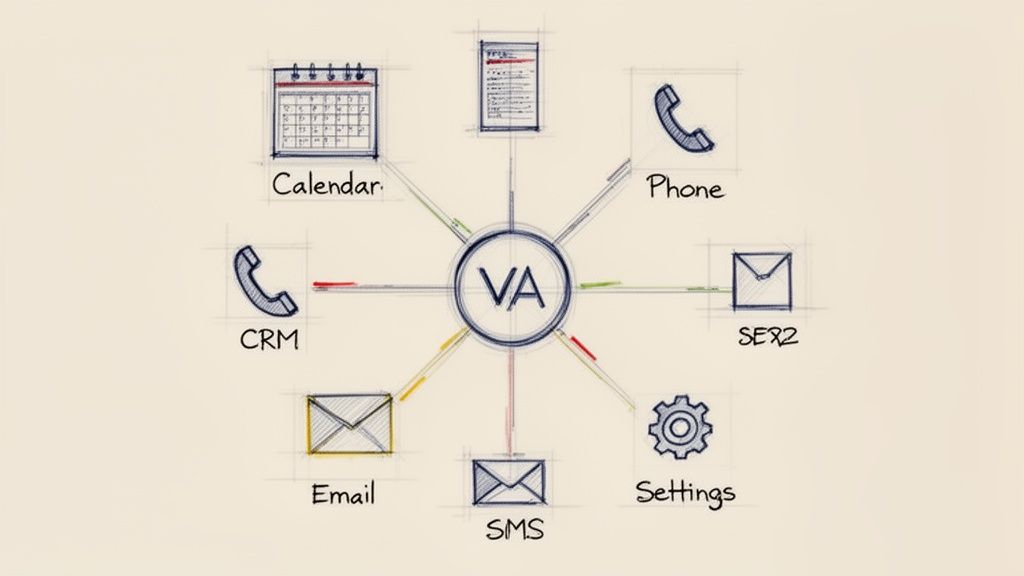
When you're shopping for a virtual assistant, it's easy to get sidetracked by basic features like call forwarding. But let's be honest, that’s just a glorified voicemail. A truly effective VA should be the command center for all your client communications.
The magic isn't just in answering the phone; it's in the features and integrations that turn a simple tool into a smart, automated system that runs itself. Not all VAs are built the same, so you need to know what to look for.
Core Capabilities to Demand
Your virtual assistant shouldn't just be a passive message-taker. It needs to be an active part of your daily workflow. Before you sign on the dotted line, make sure any service you’re considering has these non-negotiable features.
- 24/7 Call Answering: Your business might close at 5 PM, but your customers and potential leads don't. A VA that works around the clock means you never miss an opportunity.
- Customizable Scripts: You need an assistant that sounds like you. The ability to build custom scripts and call flows ensures every conversation is on-brand and captures the precise information your team needs.
- Natural Language Processing (NLP): People hang up on clunky, robotic systems. A VA with advanced NLP can actually understand and respond to callers naturally, creating a professional and welcoming first impression.
Think of these as the foundation. Without them, you’re just buying a slightly fancier answering machine.
Integrations: The Brains of the Operation
Here’s where a good VA becomes a great one. Its real power comes from its ability to connect with the business tools you already rely on every single day. Integrations are what kill manual data entry and stop important details from falling through the cracks.
An integrated virtual assistant acts like a digital nervous system for your business. It receives information from a call and instantly sends it to the right place—your calendar, your CRM, or your team's inbox—without you lifting a finger.
Imagine this: your virtual assistant for small business talks directly to your CRM, so every new lead gets logged automatically. When it connects to your calendar, it books appointments in real-time, completely avoiding any double-bookings. That’s the kind of efficiency we’re talking about.
Your must-have integrations should include:
- Calendars: Direct syncing with Google Calendar, Outlook, and Calendly is a bare minimum for automated appointment booking.
- CRMs: Connections to platforms like HubSpot or Salesforce are key for capturing and organizing lead data the moment it comes in. For a deeper look, check out our guide on HubSpot and Zendesk integration.
- Notification Systems: The VA must be able to fire off instant alerts via SMS or email to keep your team in the loop and ready to act on new opportunities.
How Different Industries Win with Virtual Assistants
Theory is great, but seeing how a virtual assistant actually works for a small business is when the lightbulb really goes on. The impact isn't one-size-fits-all. Instead, it’s about solving the unique, high-stakes problems that keep professionals in different fields up at night.
Let's look at how people are using this technology not just to get time back, but to actively find new clients and deliver a better experience.
Real Estate Agents: Closing Deals After Hours
For any real estate agent, a missed call is a potential commission walking right out the door. So many inquiries from buyers and sellers roll in after 5 PM or on weekends—exactly when most agents are trying to have a life.
A virtual assistant acts as your 24/7 front desk, ensuring you never miss a lead.
- The Problem: An agent runs a new ad, and someone calls about it at 10 PM. Without a VA, that call goes to voicemail, and the prospect is already scrolling to the next listing.
- The Workflow: The VA answers immediately, uses a custom script to qualify the caller (“Are you already working with an agent?” or “Are you pre-approved for a mortgage?”), and gathers their information.
- The Outcome: The VA books a viewing directly into the agent’s calendar for the next day. The agent wakes up to a confirmed, high-intent lead who is ready for a tour.
Law Firms: Making Client Intake Effortless
Law firms run on billable hours. Every minute a partner or paralegal spends on routine intake calls is a minute they aren't working on a case. The initial screening is critical but also incredibly repetitive, making it a perfect job for an automated assistant.
This is where a VA becomes the firm's most effective gatekeeper.
- The Problem: A potential client calls with a legal issue, but the receptionist isn't trained to figure out if they’re a good fit for the firm's practice areas.
- The Workflow: The VA uses a pre-set script to ask qualifying questions about the type of case, important dates, and other parties involved to check for conflicts.
- The Outcome: Genuinely qualified leads get scheduled for an initial consultation, and their details are automatically logged in the firm’s CRM. This frees up the legal team to focus on what they do best: practicing law.
The numbers back this up. Professional services like law firms have been shown to reduce execution time on administrative tasks by 40%, letting them focus on billable work. You can dig into more stats on how different industries benefit from VAs on 99firms.com.
Healthcare Clinics: Slashing No-Shows
In a healthcare clinic, an empty appointment slot is lost revenue you can never get back. Juggling patient calls for scheduling, reminders, and prescription refills is a huge administrative weight that often leads to a burnt-out front desk and costly mistakes.
A virtual assistant acts as an always-on patient coordinator. It keeps the schedule full and ensures patients get the timely communication they need without overwhelming your staff.
This simple workflow is a game-changer for medical practices.
- The Problem: Your staff is swamped with patients at the desk and can't answer every call. This leads to missed appointments and frustrated patients who just want to reschedule.
- The Workflow: The VA handles all inbound calls, books new appointments, and automatically sends out text or email reminders 24-48 hours before a visit.
- The Outcome: The clinic sees a direct, measurable drop in its no-show rate. Patients can easily confirm or reschedule through the automated system, keeping the calendar full and revenue predictable. To see more on this, check out our guide on how VAs can help clinics improve their patient communications.
Your 5-Step Launch Plan: Going Live in Under a Week
Getting a virtual assistant up and running isn't a massive, drawn-out project. It should be quick, painless, and deliver results almost immediately. With the right approach, you can go from decision to a fully functioning system in just a few days. Let's walk through a simple, actionable plan to get you there.
Forget needing a tech team or a coding background. Modern platforms are built for business owners, using simple templates and guided setups to build powerful workflows. The whole point is to get this done fast so you can start seeing the benefits.
Day 1: Define Your Core Mission
First things first, what’s the single biggest headache you want this virtual assistant to solve? Don't try to boil the ocean and automate every single task from day one. That's a recipe for getting overwhelmed.
Pick one or two critical jobs. Are you constantly missing calls from potential new clients? Is your calendar a mess because you’re always trying to schedule appointments? A real estate agent might start with qualifying new buyer leads, while a law firm might focus on new client intake. Nailing one core function delivers a quick, tangible win and builds momentum.
Day 2: Script the Perfect Conversation
Now, think like a movie director and script the ideal call. What’s the first thing your VA should say? What key pieces of information does it absolutely need to get before the call ends?
This doesn't have to be a complex flowchart. Just jot down the essential questions and the logical path the conversation should take. For a clinic, it might be: "Are you a new or existing patient?" followed by, "What's the reason for your visit?" This simple script ensures every call is productive and your team gets exactly the information they need.
A well-planned call flow is what separates a glorified voicemail from a true intelligent assistant. It turns every single inbound call into an opportunity.
Over the last few years, we've seen this kind of focused implementation take hold across different industries, proving just how adaptable this technology is.
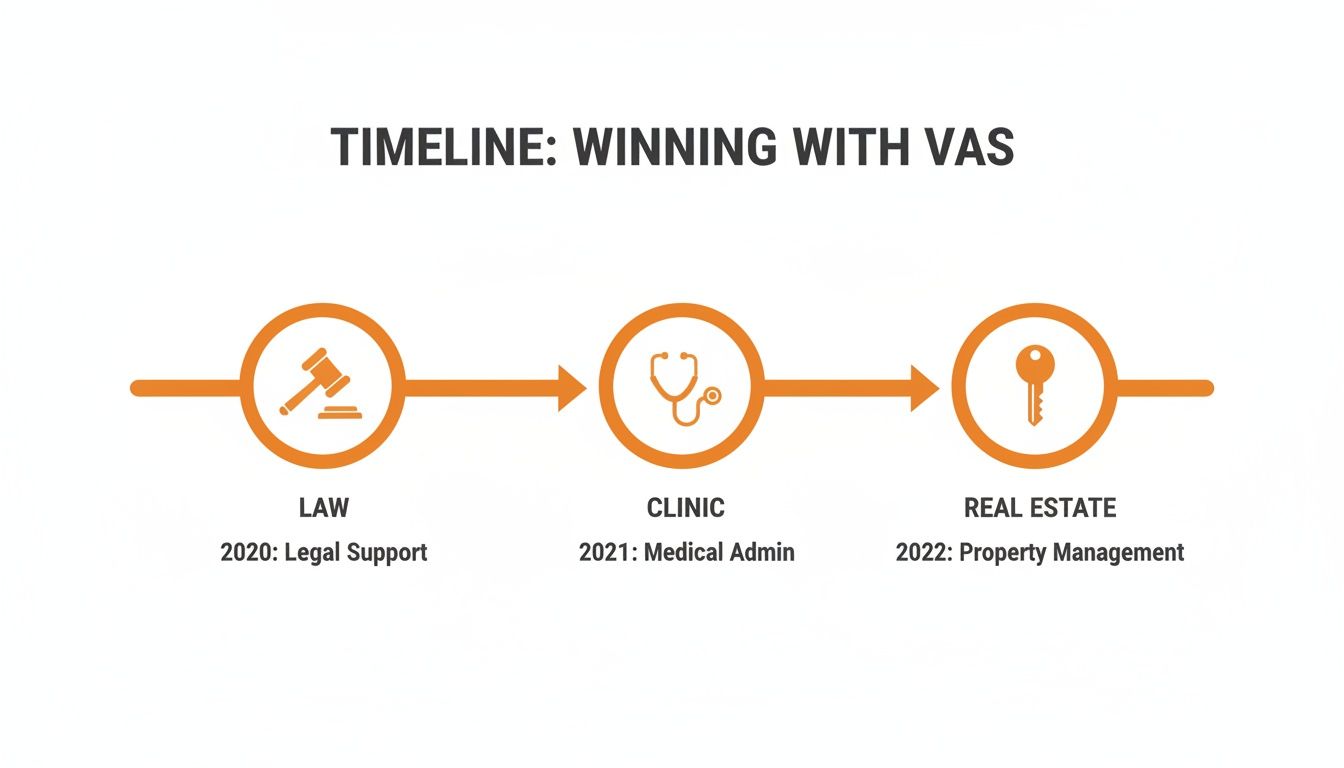
As you can see, specialized fields like law, healthcare, and real estate have all found powerful, specific use cases for virtual assistants, moving way beyond simple call answering.
Days 3-5: Connect, Record, and Launch
With your mission and script locked in, the last few steps are just about plugging everything together. This is the easy part and usually takes just a few minutes.
- Connect Your Tools: This is where the magic happens. Link your calendar (like Google Calendar or Outlook) and your CRM. It’s typically a simple one-click process that gives the VA permission to book appointments and log customer data for you automatically.
- Record Your Greetings: A personal touch goes a long way. Record a warm, professional welcome message in your own voice. Many platforms also offer surprisingly realistic voice cloning to create a consistent, on-brand sound.
- Test and Go Live: Before you flip the switch, make a few test calls yourself. Run through the script to make sure it feels natural and works just how you planned. Once you’re happy, activate it. That’s it—your new virtual assistant is officially on the job, ready to handle calls 24/7.
Here’s a simple timeline to keep you on track.
5-Day Virtual Assistant Launch Plan
This table breaks down the process into a single business week, helping you get your system fully operational without the guesswork.
| Day | Action Item | Goal |
|---|---|---|
| Day 1 | Identify the top 1-2 repetitive tasks for automation. | Define the VA's primary function and a clear success metric. |
| Day 2 | Map out the ideal conversation or workflow on paper. | Create a simple, logical script for the VA to follow. |
| Day 3 | Connect essential tools like your calendar and CRM. | Integrate the VA into your existing software ecosystem. |
| Day 4 | Record greetings and any custom audio prompts. | Personalize the caller experience and reinforce your brand. |
| Day 5 | Run final tests and officially launch the system. | Go live with confidence and start saving time immediately. |
By following these simple steps, you can move from concept to a live, working assistant in less time than it takes to train a new employee.
Common Questions About Virtual Assistants
Dipping your toes into automation can feel like a big leap, and it's totally normal to have questions. Most small business owners I talk to worry about whether an AI assistant will sound like their brand or if it’ll just be another complicated tool to manage. Let's tackle some of the most common concerns right now so you can feel confident about what this technology can actually do for you.
The idea isn't just to add tech for tech's sake. It's about finding something that feels like a genuine extension of your business—something that helps you, not gives you another headache. Getting these answers upfront is the key to making a choice that really works.
Will It Sound Robotic to My Customers?
This is probably the number one question I get, and for good reason. We've all been stuck on the phone with a clunky, frustrating automated system. But the technology has come a long way since then. Modern AI virtual assistants are built for smooth, natural-sounding conversations.
They use incredibly advanced language processing to understand what a caller actually means, not just the words they say. The best ones even respond with human-like tones and inflections. Some systems can even be trained using voice cloning, so the AI can sound exactly like you or one of your team members. This way, every call maintains that personal touch, and customers feel like they're being heard, not just processed.
How Much Technical Skill Do I Need?
Honestly, you don't need to be a tech wizard. You don't even need to be "good with computers." The best platforms are designed for busy business owners who don't have time to mess with complicated software. The entire setup is usually done through a simple, visual dashboard where you can build your call flows using drag-and-drop tools or by filling out a few fields.
Connecting the tools you already use is just a matter of a few clicks.
- Calendar: Just authorize access to your Google or Outlook calendar.
- CRM: Link your HubSpot or Salesforce account to automatically log new leads.
- Alerts: Type in the email addresses or phone numbers where you want to get notifications.
If you can update your business’s Facebook page, you have more than enough skill to set up a powerful virtual assistant for small business.
Security isn't just an add-on; it's the whole foundation. A good virtual assistant follows the rules you set without exception. This creates a secure, clear record of every conversation, which is often far more reliable than manual notes that can get lost or misinterpreted.
Is My Client Data Secure?
Security is everything, especially if you're in a field like law or healthcare where you're handling sensitive information. Any virtual assistant provider worth its salt builds its platform on top-tier, enterprise-grade security. This includes end-to-end encryption, which means your data is protected from the moment a customer says hello until it's stored in your system.
When you're looking at different options, always check for a clear privacy policy and ask them directly about their security measures. A quality AI system is designed to be a digital fortress for your client data, strictly following privacy laws and cutting down on the potential for human error.
What Happens If My Business Needs Change?
This is where a virtual assistant really shines. Its flexibility is one of its biggest advantages. Think about how much work is involved in hiring or letting go of an employee. A VA solution, on the other hand, is made to scale up or down with you instantly. For a small business, where things can change from one month to the next, that kind of adaptability is a game-changer.
Let's say you're launching a marketing campaign and expecting a flood of new calls. Your VA can handle the extra volume without breaking a sweat. If you decide to tweak your client intake process, you can just log in and update your call scripts in a few minutes. This agility ensures your virtual assistant always fits what your business needs right now, so it never holds you back.
Ready to see how an AI voice agent can stop you from missing leads and book appointments 24/7? At CallCow, we make it incredibly easy to set up a human-sounding assistant in under five minutes. Stop letting calls go to voicemail and start growing your business.